Most app ideas start with a moment of frustration: a spreadsheet that has grown out of control, a booking process that loses customers, a field team that still works from paper. The frustration is real. What is not yet known is whether enough people share it, whether they would change how they work to fix it, and whether software is the right fix at all.
Validation is how you find out before the expensive part begins. It is not a single survey or a friend saying "I would use that". It is a short, structured period of research and small experiments that tests the riskiest assumptions behind your idea, so that when you do commission design and development, you are building something people need, on an architecture that suits it, with security planned in from the start.
This guide is written for founders, SaaS teams, product managers and businesses planning a web application, mobile app or SaaS platform. It walks through seven practical steps, explains how to read the results, and ends with a checklist you can use before a single line of production code is written.
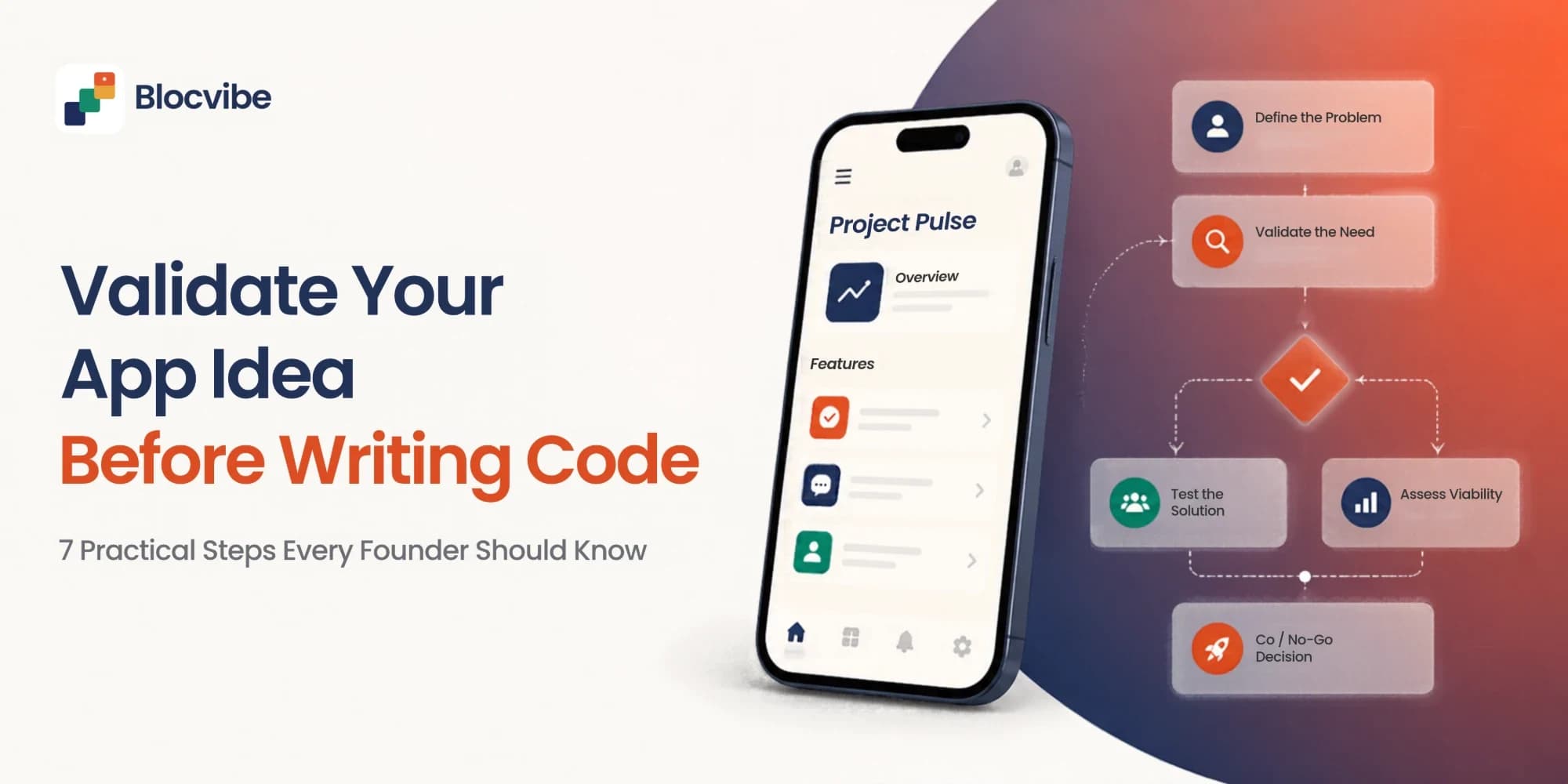
The seven steps at a glance
- Define the real problem, separately from the solution you have in mind.
- Know who you are solving for, through interviews, surveys, personas and journey maps.
- Study the alternatives people already use, including spreadsheets and doing nothing.
- Look for evidence of demand with experiments that need little or no code.
- Test the smallest useful version with prototypes and a tightly scoped MVP.
- Check technical feasibility: platform, architecture, data, integrations and cost.
- Plan security and data protection as part of the design, not after launch.
The steps overlap in practice. Interviews (step 2) often reshape the problem statement (step 1), and a feasibility check (step 6) can change what belongs in the MVP (step 5). Treat the list as a sequence of questions to answer, not a rigid waterfall.
Step 1: Define the real problem before the solution
Founders usually arrive with a solution: "an app that lets clinics manage bookings", "a dashboard for our sales team". Validation starts one level earlier, with the problem the solution is meant to remove. If the problem is weak, no amount of good design will make the product succeed.
Write a problem statement, not a feature list
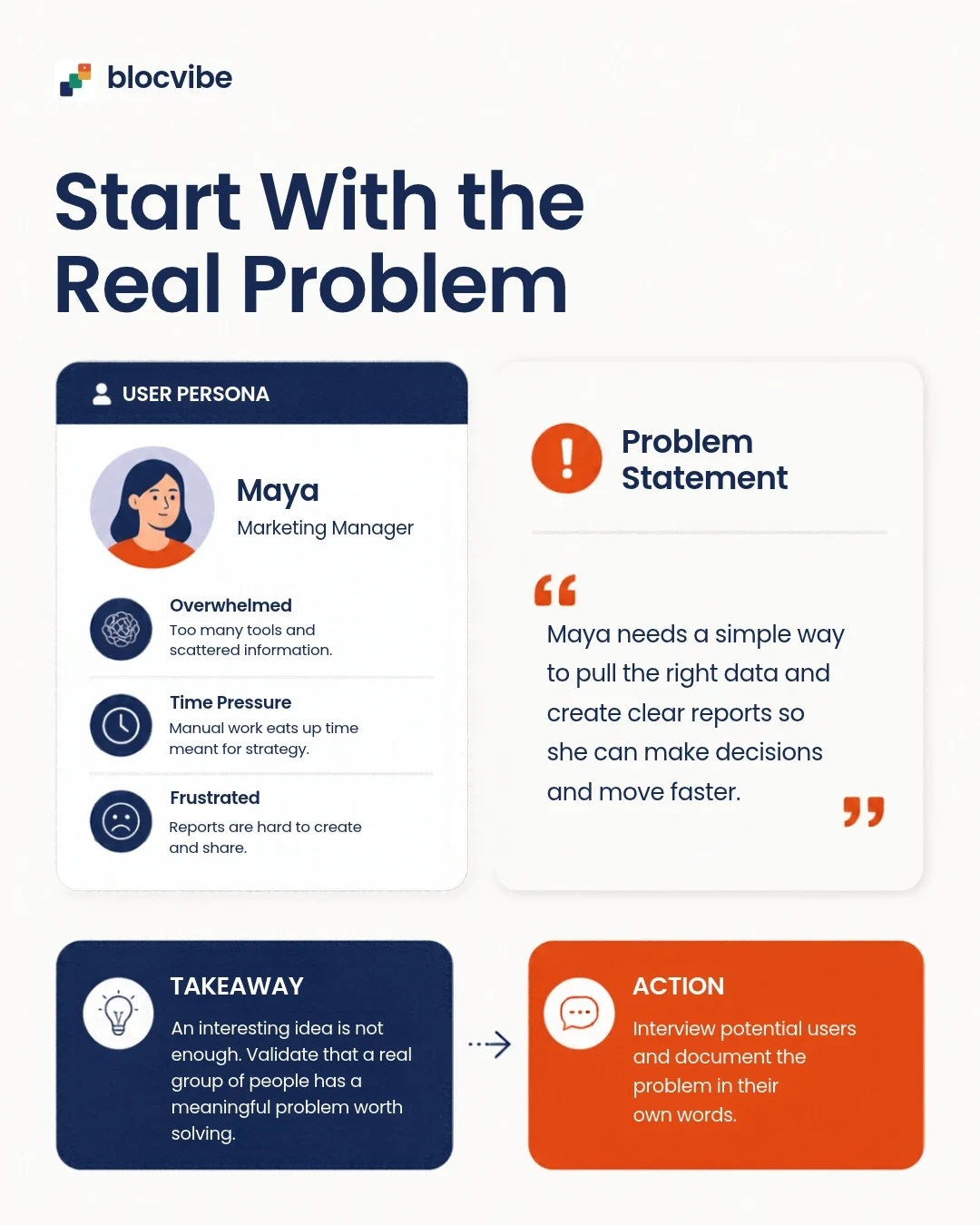
A useful problem statement names a specific group of people, the situation they are in, what goes wrong and what it costs them. For example: "Operations managers at small logistics firms re-enter delivery updates from drivers' messages into a spreadsheet every evening, which takes an hour a day and still leaves customers without accurate delivery times." Notice that it says nothing about apps, AI or dashboards. That is deliberate: it leaves room for the research to suggest a different, possibly simpler, answer.
Test whether the problem is frequent, expensive or painful
Problems worth building software for usually score highly on at least one of three dimensions:
- Frequency. Does it happen daily or weekly, or once a year? A problem that occurs rarely is hard to build a habit, or a subscription, around.
- Cost. Does it cost money directly (lost orders, penalties, rework) or indirectly (staff hours, slower decisions)? Ask people to estimate it in their own terms.
- Pain. Is it stressful, risky or embarrassing? Compliance failures, missed handovers and angry customers are painful even when they are infrequent.
A problem that is frequent, costly and painful at the same time is a strong signal. A problem that is none of these is usually a "nice to have", however clever the solution.
Separate market need from personal assumption
Many good products began with a founder's own frustration, but your experience is one data point. Write down the assumptions your idea depends on, such as "managers would switch from spreadsheets", "drivers will use an app on their phones" or "clients would pay monthly for this", and mark each one as known (you have evidence), believed (you think it is true) or unknown. The believed and unknown assumptions are what the next steps are designed to test, riskiest first.
Step 2: Know who you are solving for
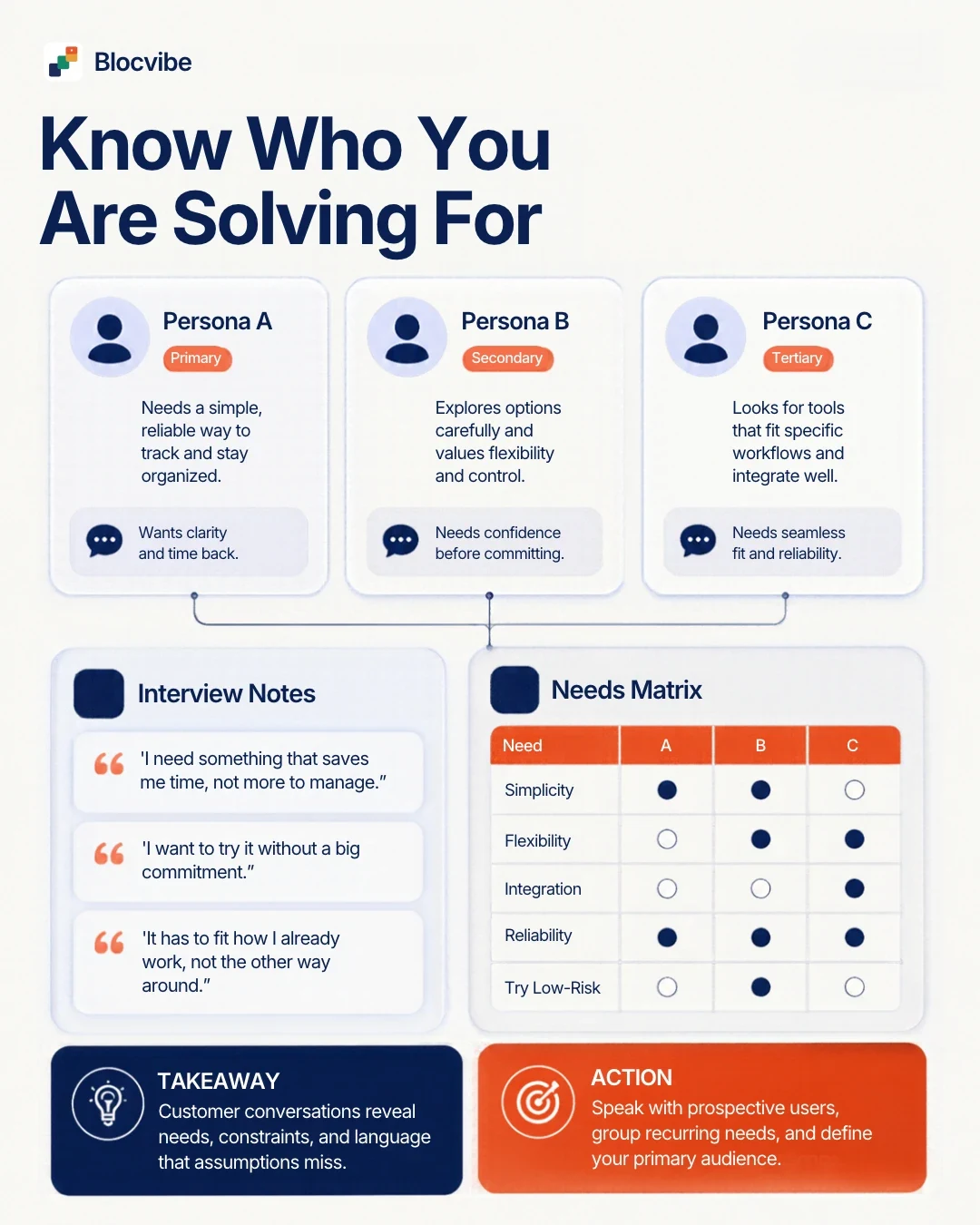
"Small businesses" or "everyone who travels" is not a target audience. You need a group specific enough that you can find them, talk to them and describe how their day works. In business software there are often several roles involved: the person who suffers the problem, the person who would use the tool, and the person who signs off the budget. They may be three different people with different needs.
Run customer discovery interviews
Interviews are the most reliable early validation tool because they reveal how people actually work, in their own words. Aim to speak with people who match your target group, not friends or family, and keep each conversation focused on their past behaviour rather than your idea. A practical approach:
- Recruit through your network, relevant LinkedIn groups, industry communities and introductions from early contacts. Ask each interviewee who else you should speak to.
- Keep interviews to around 30 minutes, record them with permission, and have one person ask questions while another takes notes.
- Do not demonstrate or pitch your idea until the end, if at all. Once people see a solution, they start reacting to it instead of describing their problem.
- Stop when you keep hearing the same patterns. If every conversation is different, your audience is probably too broad.
Interview questions that produce useful answers
- "Tell me about the last time you had to [do the task]. What happened, step by step?"
- "What was the hardest part? Why?"
- "How do you handle it today? Which tools, spreadsheets or people are involved?"
- "How much time or money does this take in a typical week or month?"
- "What have you already tried to fix it? Why did that not work, or stop working?"
- "Who else is affected when this goes wrong?"
- "If this problem disappeared tomorrow, what would change for you?"
- "Who decides whether to buy a tool for this, and how is that decided?"
Avoid leading questions
Leading questions produce polite, misleading answers. "Would you use an app that saved you time on reports?" invites a yes that costs nothing. "Do you find reporting frustrating?" suggests the answer you want. Compare them with "Walk me through how you produced last month's report", which asks for facts. Ask about specific past events, not hypothetical futures; ask "why" and "what happened next" rather than "would you"; and treat compliments about your idea as noise rather than evidence. Rob Fitzpatrick's book The Mom Test is a practical, widely used guide to this style of questioning.
Use surveys to measure, not to discover
Surveys are useful once interviews have shown you what to ask. They can tell you how common a problem is across a larger group, which of several pains matters most, and what tools people currently use. They are poor at discovering problems you have not thought of. Keep surveys short, avoid leading wording, mix multiple-choice questions with one or two open questions, and be cautious about drawing conclusions from small or self-selected samples.
Turn findings into personas and journey maps
A persona summarises a group you interviewed: their role, goals, frustrations, current tools and constraints, written from real findings rather than imagination. A customer journey map follows one persona through the task step by step, marking where they lose time, make mistakes or switch between tools. Together they show where software could help most, and they give designers and developers a shared picture of who they are building for. Base both on evidence; a persona invented in a workshop can be as misleading as no persona at all.
Step 3: Study the alternatives
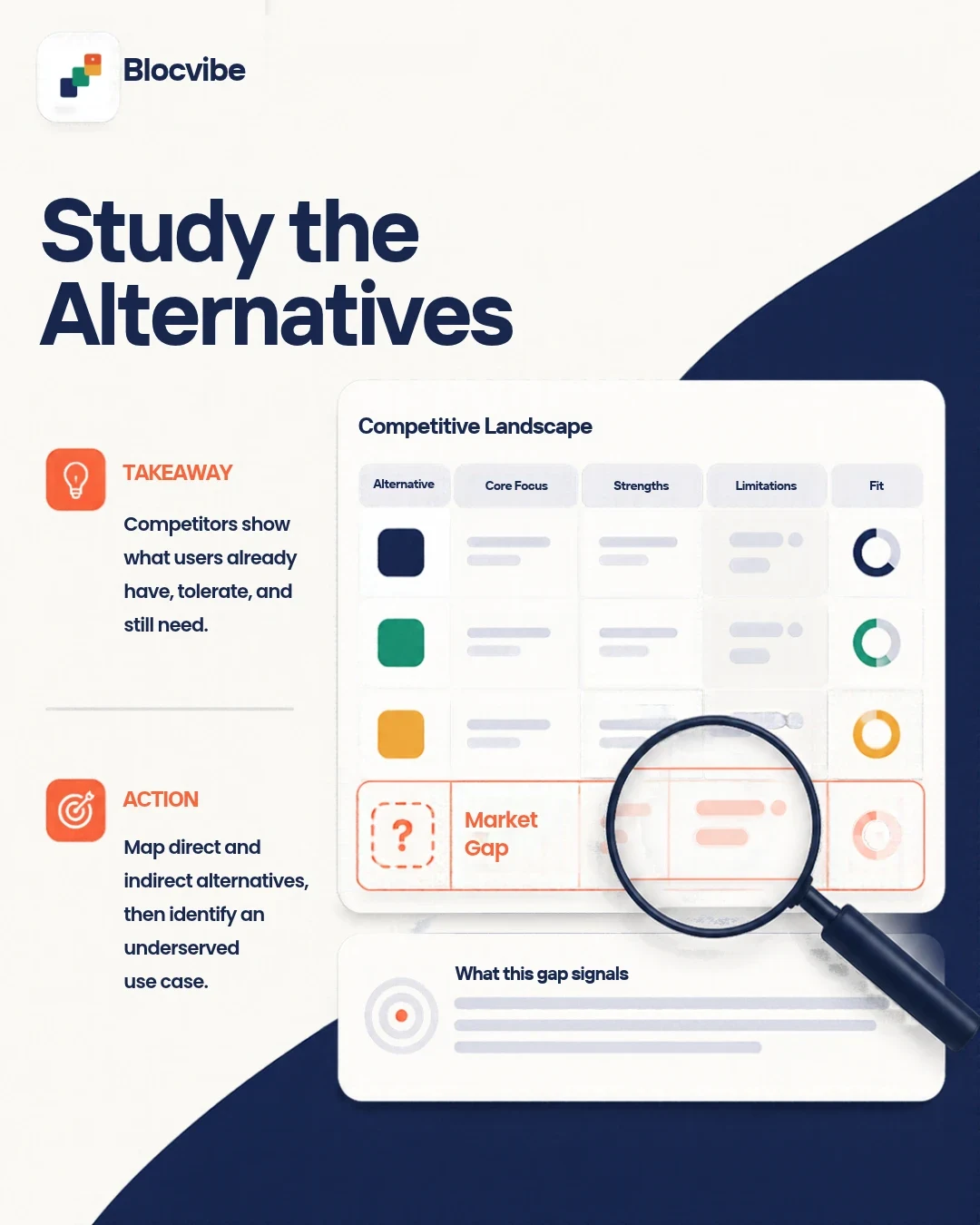
Every problem already has a solution, even if it is a spreadsheet, a WhatsApp group, a part-time assistant or simply putting up with it. Competitor research tells you what people already have, what they tolerate and what they still need, and it stops you from rebuilding something that already exists for less than your development budget.
Map direct and indirect competitors
- Direct competitors solve the same problem for the same audience in a similar way, for example two booking platforms for clinics.
- Indirect competitors solve the same problem differently: a general-purpose tool such as a CRM, a project management app or a spreadsheet template; an agency or outsourced service; or an internal process.
- The status quo is often the strongest competitor. If people are used to a manual process that works well enough, the switching cost has to be justified.
Analyse features, pricing and weaknesses
For each serious alternative, record who it is for, its core features, its pricing model and published price points, how people get started, and how it connects to other tools. Then read what customers say about it: app store reviews, software review sites, community forums and support threads. Recurring complaints, such as "too complicated for a small team", "no offline mode" or "cannot export our data", point to unmet needs. Trying the products yourself, including their onboarding and cancellation, is often more revealing than their marketing pages.
Find the gap and your advantage
A real gap is a specific, recurring need that current alternatives handle badly for a definable group of people. Examples include a niche industry workflow that general tools do not support, a market where existing products are priced for large enterprises, or a regulation that creates new requirements. A competitive advantage is the reason your solution will be chosen over the alternatives: deeper fit for one workflow, a meaningfully simpler experience, a better integration, specialist knowledge or a distribution channel others do not have. "Ours will be better designed" is rarely enough on its own. If you cannot state your advantage in one sentence that a target customer would agree with, keep researching.
Step 4: Look for evidence of demand without writing code
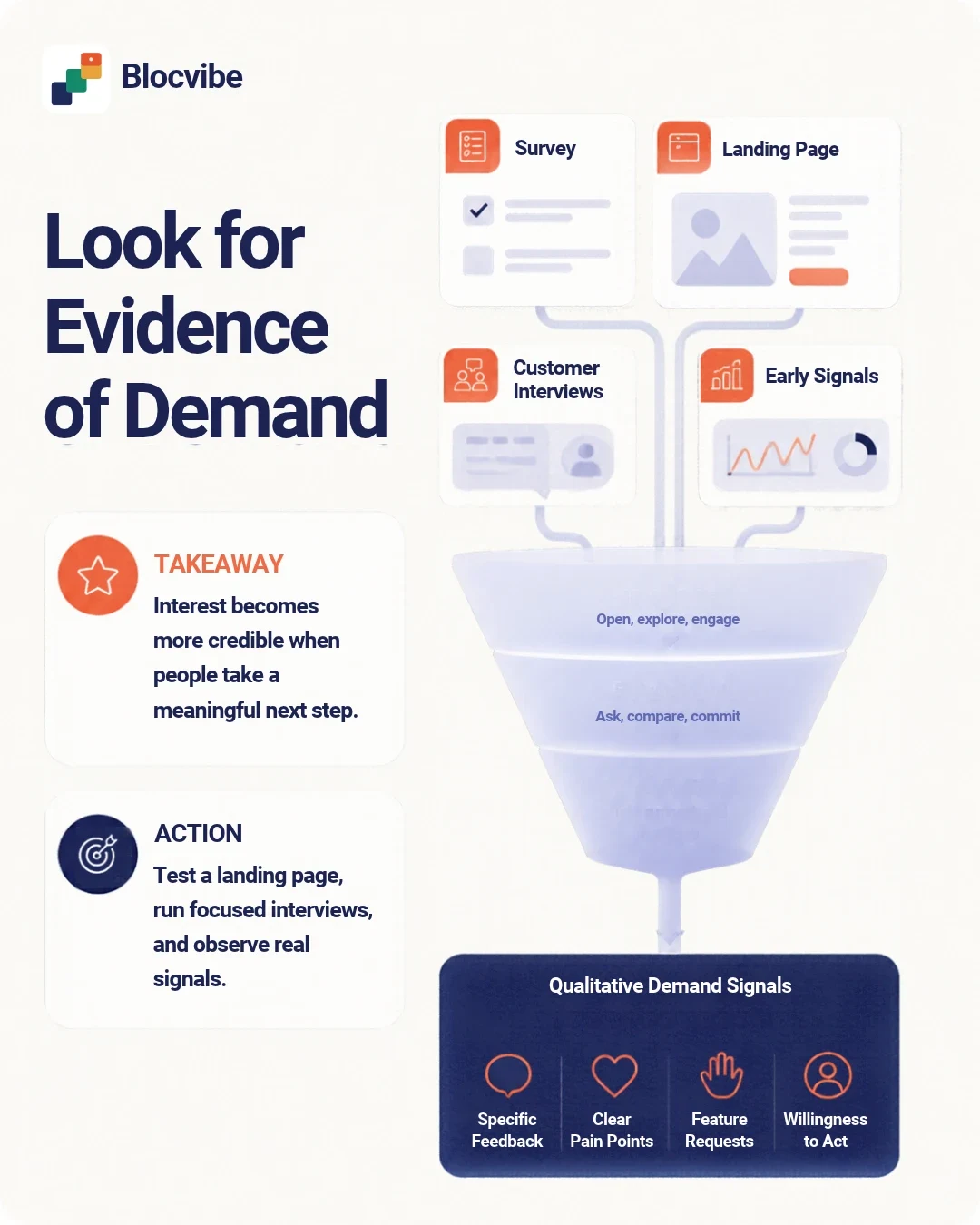
Interviews tell you a problem exists. Demand tests tell you whether people will take action to solve it: give an email address, book a call, spend time, or pay. The more a step costs the person, the stronger the evidence. Most of these experiments need little or no production code.
Landing page and waitlist
A simple page describes the problem, the proposed solution and its main benefits, and asks visitors to join a waitlist, request early access or book a demo. Drive targeted traffic to it through search or social ads, communities and outreach, and measure how many visitors take the step you ask for. It is quick and inexpensive, and it tests your positioning and messaging. Its limitation is that signing up costs people very little, so it shows interest rather than commitment. Follow up with the people who sign up; their replies are often more informative than the numbers.
Clickable prototypes
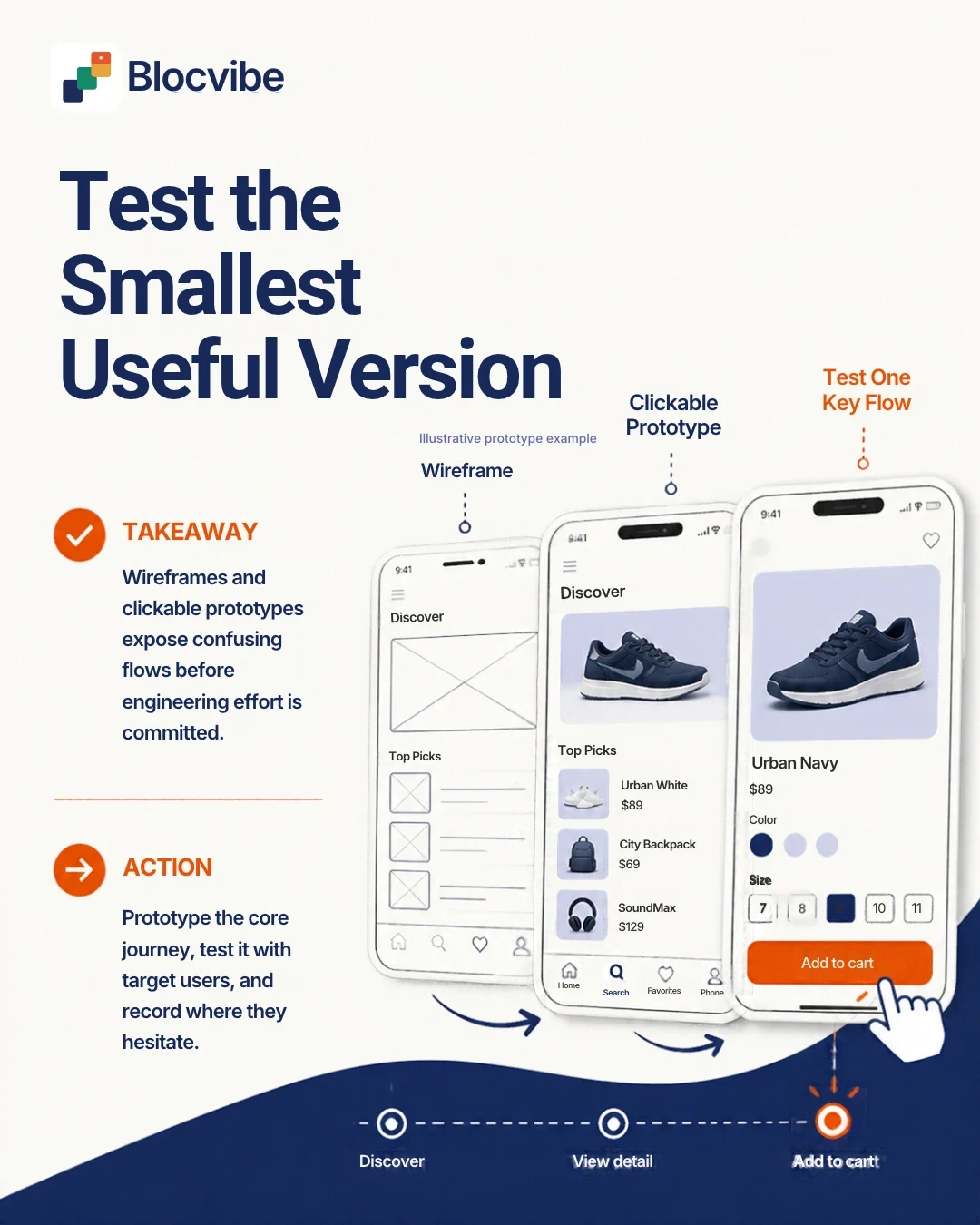
Design tools such as Figma let you build interactive mock-ups that look and behave like an app without any backend. Ask target users to complete a realistic task while you watch and stay quiet. You will see where they hesitate, what they misunderstand and what they look for that is not there. Prototypes are excellent for testing usability and the value of a proposed workflow; they cannot test performance, real data or integrations.
No-code MVP experiments
Forms, spreadsheets, automation tools and no-code app builders can deliver a working version of the core process to a small group. This is a real test of whether people use the service repeatedly. The limits are usually scale, complex permissions, data protection controls and integrations, so treat a no-code MVP as a learning tool rather than the foundation of the final product, and be careful about putting sensitive data into tools you have not assessed.
Concierge MVP
In a concierge MVP you deliver the outcome manually, openly, for a handful of early customers. If your app would recommend suppliers, you research and send the recommendations yourself. You learn exactly what customers value and what the process involves before automating any of it. It does not scale, and that is the point: it is a way to learn, not a business model.
Wizard-of-Oz testing
Here the user interacts with what looks like a working product, while people complete some of the work behind the scenes. It tests whether users value the automated experience before you invest in building the automation, which is useful for AI features in particular. Be honest with participants about how their data is handled, and do not mislead paying customers about what is automated.
Paid pilots and pre-orders
Payment is the strongest signal. A paid pilot, where a business pays a modest fee to use an early version for a fixed period with agreed success criteria, is common in business-to-business software. Pre-orders or deposits can work for consumer products. Both need clear terms about what will be delivered and when, and refunds where appropriate; take advice on consumer protection and payment rules in each country you sell to.
Choosing a validation method
| Method | Best for testing | Strength of signal | Main limitation |
|---|---|---|---|
| Discovery interviews | Whether the problem is real and how people work today | Qualitative, deep | Small samples; people are polite |
| Landing page and waitlist | Positioning, messaging and interest | Low to medium | Sign-ups cost the visitor little |
| Clickable prototype | Usability and the value of a workflow | Medium | No real data, performance or integrations |
| No-code MVP | Repeated use of the core process | Medium to high | Scale, permissions and data protection limits |
| Concierge or Wizard-of-Oz | What customers value in the outcome | High | Manual effort; does not scale |
| Paid pilot or pre-order | Willingness to pay | Highest | Needs clear terms and delivery commitments |
Step 5: Test the smallest useful version
A minimum viable product is the smallest version of your product that delivers real value to a specific user and lets you learn whether your core assumption holds. It is not a cheaper version of the full vision, and it should not be a poor-quality one. Users should be able to complete one important job, reliably and securely.
Must-haves versus nice-to-haves
List every feature you have imagined, then ask of each one: can the user complete the core job without it? If the answer is yes, it is not a must-have for the first release. Reports, integrations with every tool, custom branding, advanced roles and AI features are frequently valuable later and unnecessary on day one. Security, data protection and basic reliability are not optional; they belong in the MVP.
Prioritise with MoSCoW
The MoSCoW method sorts requirements into four groups: Must have (the release fails without it), Should have (important, but there is a workaround), Could have (desirable if time allows) and Won't have this time (agreed and recorded, so it stops resurfacing). The last group matters as much as the first: writing down what is out of scope keeps a first release small and its budget predictable.
Write user stories with acceptance criteria
User stories describe a feature from the user's point of view, and acceptance criteria define when it is done. They give designers, developers and testers a shared, testable definition of each requirement. For example:
User story
As an operations manager, I want to see every delivery's latest status on one screen,
so that I can answer customer calls without phoning drivers.

Acceptance criteria
Given a driver has marked a delivery as "Delivered",
when the manager opens the deliveries screen,
then the delivery shows "Delivered" with the time it was marked.

Given a user without the Manager role,
when they open the deliveries screen,
then they see only the deliveries assigned to them.
The second criterion is a security requirement expressed as behaviour. Writing access rules into acceptance criteria is one of the simplest ways to make sure they are built and tested.
Roadmap, time and budget
Once the scope is agreed, break it into a roadmap: discovery and design, the MVP release, then later phases for the "Should" and "Could" items, each tied to what you expect to learn. Estimates for a defined scope are far more reliable than estimates for an idea, so ask development partners to estimate against your user stories and to state their assumptions. Include costs that founders often forget: hosting and third-party services, app store accounts, security testing, monitoring, support and ongoing maintenance after launch.
Avoid overengineering
Overengineering means building for scale, flexibility or edge cases you have no evidence you will need, such as microservices for a product with a few dozen users, or a plug-in system nobody has asked for. Choose a simple, well-understood architecture that can grow, keep the code modular so parts can be replaced later, and spend the saved time learning from real users. Simple does not mean careless: maintainability, tests and security are what let a small product grow safely.
Step 6: Check technical feasibility and architecture
A technical feasibility assessment answers a practical question: can this product be built and run reliably, securely and within budget, with the data, integrations and platforms it depends on? Doing this before development avoids discovering, months in, that a key API does not provide the data you need or that an app store policy rules out a core feature.
Web application, mobile app or SaaS platform?
| Option | Usually suits | Consider |
|---|---|---|
| Web application | Business tools, dashboards, portals, products used mainly at a desk | One codebase for every device; instant updates; limited access to some device features |
| Mobile app | Field work, frequent short sessions, camera, GPS, offline use, push notifications | App store review and policies; cross-platform frameworks can serve iOS and Android from one codebase |
| SaaS platform | A product sold by subscription to many organisations | Multi-tenancy, billing, onboarding, plans and permissions add scope from day one |
Many products combine these: a web application for managers and a mobile app for staff in the field, sharing one backend. If you are unsure which fits, our guides to website and web application development and custom mobile app development for iOS and Android go into the trade-offs in more detail.
Frontend, backend and API architecture
Most modern applications separate the frontend (what the user sees, in a browser or app) from the backend (business rules, data and integrations), connected by an API. A well-structured single backend, often called a modular monolith, is the right starting point for most MVPs: it is simpler to build, test, deploy and secure than a set of microservices, and it can be split later if specific parts genuinely need to scale independently. REST APIs are the common default; GraphQL can help when many different screens need flexible combinations of data. Whatever you choose, design the API as a contract that other clients, such as a future mobile app or partner integration, can rely on.
Database selection and data modelling
Relational databases such as PostgreSQL and MySQL suit most business applications, because business data is full of relationships (customers, orders, invoices, users and permissions) and needs reliable transactions. Document databases can suit flexible or rapidly changing data structures; specialist stores serve search, analytics or time-series data from devices. Before choosing, sketch the main entities and how they relate, estimate how much data you expect, and decide what must be kept, for how long, and what must be deleted. A clear data model early on prevents painful migrations later.
Third-party integrations and dependencies
List every external system the product depends on: payment providers, email and SMS services, maps, accounting or CRM systems, identity providers, AI models, hardware or government APIs. For each, check that the API offers the data and actions you need, its rate limits and pricing, its terms of use, its reliability, and what happens to your product if it changes or becomes unavailable. Integrations are a frequent source of unplanned cost and delay, so build a small proof of concept for the riskiest one before committing to the full build.
Cloud infrastructure, hosting and scalability
Most products start well on a managed cloud platform with a managed database, automated backups and separate environments for development, testing and production. Plan for scalability by keeping the application stateless where possible, storing files in object storage rather than on the server, adding caching where it is measured to help, and moving slow tasks such as report generation or email sending into background jobs. Decide early where data will be hosted, because some clients and regulations require data to stay in particular regions.
Authentication and role-based access
Almost every business application needs to answer two questions on every request: who is this (authentication) and what are they allowed to do (authorisation). Decide the roles you need, such as owner, manager, staff and client, and which data and actions each can access. If customers will want to sign in with their company accounts, plan for single sign-on. These decisions shape the data model and the API, so they belong in the architecture, not in a later sprint.
Multi-tenant architecture for SaaS
A SaaS product serves many customer organisations (tenants) from one system. The main approaches are a shared database with a tenant identifier on every row, a separate schema per tenant, or a separate database per tenant. A shared database is the most economical and common starting point, but every query must be scoped to the current tenant, and that scoping should be enforced centrally rather than left to each developer to remember. Separate databases give stronger isolation and easier per-customer backups and data residency, at a higher operational cost. The choice affects security, cost and how you will onboard larger customers, so make it deliberately; the OWASP Multi-Tenant Security Cheat Sheet is a useful reference.
Cost, maintenance and technical limits
Software has a running cost after launch: hosting, third-party services, monitoring, security updates, operating system and framework upgrades, app store changes, bug fixes and support. Budget for it from the start. Also record the technical limitations you discover, such as an API that only syncs hourly, a device that cannot work offline, or a regulation that restricts where data is processed, because each one may change the product's scope or promise.
Step 7: Plan security and data protection from day one
Security decisions are architecture decisions. How users sign in, how permissions are checked, how tenants are separated, where secrets are kept and what data is stored all shape the code from its first commit. Retrofitting them after launch is slower, more expensive and more likely to leave gaps. No architecture or technology is completely secure; the aim is to reduce risk to an acceptable level, deliberately, and keep reducing it as the product grows.
Two established references help structure the work. The OWASP Top 10 describes the most critical web application security risks, and the OWASP Application Security Verification Standard (ASVS) provides detailed, testable security requirements you can adopt at a level that matches your product's risk. For APIs, the OWASP API Security Top 10 is the companion list.
Authentication, sessions and multi-factor authentication
- Store passwords only as salted hashes using an algorithm designed for passwords, such as Argon2id, scrypt or bcrypt, as described in the OWASP Password Storage Cheat Sheet. Never store or log them in plain text.
- Follow current guidance on passwords, such as NIST SP 800-63B: favour length, check new passwords against known breached passwords, and avoid arbitrary forced rotation.
- Offer multi-factor authentication where accounts are valuable, and require it for administrators.
- Manage sessions securely: random, unguessable session identifiers; cookies marked Secure, HttpOnly and SameSite; idle and absolute time-outs; and invalidation when users sign out or reset their password (see the Session Management Cheat Sheet).
- Limit repeated sign-in attempts and make password reset flows single-use and time-limited.
Authorisation and role-based access control
Broken access control, where users can see or change data that is not theirs, consistently ranks among the most serious web application risks. Role-based access control (RBAC) assigns permissions to roles and roles to users. Enforce it on the server for every request, deny by default, check ownership of the specific record as well as the role, and never rely on hiding buttons in the interface. The OWASP Authorization Cheat Sheet covers the common pitfalls.
Input validation, output encoding, injection and XSS
- Validate all input on the server against an allow-list of what is expected: type, length, format and range (Input Validation Cheat Sheet).
- Prevent SQL injection by using parameterised queries or a well-maintained ORM, never by building queries from user input (SQL Injection Prevention Cheat Sheet).
- Prevent cross-site scripting (XSS) by encoding output for the context it appears in, relying on frameworks that escape by default, sanitising any rich text, and adding a Content Security Policy (XSS Prevention Cheat Sheet).
- Protect cookie-based sessions against cross-site request forgery (CSRF) with anti-CSRF tokens and SameSite cookies (CSRF Prevention Cheat Sheet).
API security and rate limiting
Every API endpoint needs authentication and authorisation, including the ones "only the app uses", because anyone can call an API directly. Use short-lived tokens or secure sessions, return only the fields a client needs, validate request bodies, and apply rate limits to sign-in, password reset, search, file upload and any endpoint that is expensive or sends messages. Rate limiting protects both your users and your infrastructure bill. The REST Security Cheat Sheet is a practical checklist.
Secure file uploads
If users can upload files, check the file's actual type rather than trusting its name or the browser's description, limit file size, generate new file names, store uploads outside the web root or in object storage, consider scanning them for malware, and serve them in a way that cannot execute scripts in your domain. Images can be re-processed to strip hidden content and metadata. The File Upload Cheat Sheet lists the checks in detail.
Encryption, secrets and database access
- Use HTTPS everywhere, with modern TLS, so data is encrypted in transit; add HTTP Strict Transport Security once the site is fully on HTTPS.
- Encrypt data at rest using your cloud provider's database and storage encryption, and consider additional field-level encryption for particularly sensitive data.
- Keep secrets such as API keys, database passwords and signing keys out of source code and out of browser code. Store them in environment variables or a secrets manager, give each environment its own, and rotate them if they may have been exposed (Secrets Management Cheat Sheet).
- Give the application's database user only the permissions it needs, keep databases off the public internet, and restrict administrative access.
- Automate backups, store copies separately, and test restoring them. A backup that has never been restored is an assumption, not a safeguard.
Logging, monitoring and security testing
Log security-relevant events, such as sign-ins, failed sign-ins, permission changes and data exports, without logging passwords, tokens or unnecessary personal data (Logging Cheat Sheet). Monitor errors and unusual activity, and decide who is alerted and how they respond. Build security into testing as well: automated tests for access rules, dependency vulnerability scanning, code review with security in mind, and an independent penetration test before launching anything that handles sensitive data or payments.
Privacy, data retention and third-party services
Collect only the personal data the product needs, decide how long each kind is kept, and plan how users can access, correct, export or delete it. Data protection laws differ between countries; the UK's ICO guidance on UK GDPR and India's data protection framework are examples of what may apply, and you should take legal advice for the markets you serve. When you send data to third-party services, including analytics, email, payment and AI providers, check what they store, where, for how long and under what contract, send only what is necessary, and keep their API credentials on your servers.
Measure the results and make a go or no-go decision
Validation only works if you decide in advance what result would change your mind. Before each experiment, write down the question it answers, the metric you will watch and the threshold that would count as success for your market. Then compare the results with that threshold honestly.
Metrics worth tracking
- Interview conversion: how many interviewees confirm the problem, agree to a follow-up, introduce colleagues or ask to try the product.
- Landing page conversion rate: the share of targeted visitors who join the waitlist or book a call, ideally broken down by traffic source and message.
- Waitlist quality: how many sign-ups match your target audience and respond when you contact them, not just the total.
- Customer acquisition cost (CAC): what it costs in advertising and effort to win one sign-up, pilot or customer, compared with what that customer is likely to be worth.
- Activation rate: the share of new users who reach the moment of value, such as completing their first booking or generating their first report.
- Retention and engagement: whether people come back and keep using the product in the weeks after they start.
- Willingness to pay: responses to concrete pricing, pre-orders, deposits and signed pilot agreements.
- Pilot-to-paid conversion: how many pilot customers become paying customers at the end of the pilot.
There is no universal benchmark for any of these. A good landing page conversion rate for a niche business tool sold to a small, specific audience looks very different from one for a consumer app, and acceptable acquisition costs depend on your pricing and how long customers stay. Use industry figures as rough context at most, and judge results against the economics of your own business model.
Go, pivot or stop
Move from validation to development when you have consistent evidence that a specific audience has a frequent or costly problem, that they are dissatisfied with current alternatives, that they will take meaningful action (ideally paying) for your solution, that the core workflow works in a prototype, and that the product is technically feasible and affordable to build and run securely. If some of that evidence is missing, adjust the audience, the problem or the solution and test again. If it is consistently missing, stopping early is a successful outcome: it saves the much larger cost of building something nobody needs.
Common mistakes founders should avoid
- Building on assumptions. Treating your own experience, or a few enthusiastic friends, as proof of a market.
- Developing too many features. Trying to satisfy every possible user in the first release, which delays learning and inflates cost.
- Ignoring competitors. Assuming there are none, or that being better designed is enough to win customers from established alternatives.
- Skipping security planning. Leaving authentication, permissions and data protection until after launch, when they are harder and more expensive to add properly.
- Choosing technology before understanding requirements. Picking a framework, platform or architecture because it is fashionable rather than because it fits the product's needs, team and budget.
- Ignoring scalability and maintenance. Budgeting only for the build and not for hosting, updates, monitoring and support afterwards.
- Spending too much before validation. Commissioning a full product, brand and marketing campaign before testing the riskiest assumption.
- Treating positive feedback as proof of payment. "I love it" and "I would definitely use it" are not commitments. Payment, time and introductions are.
App idea validation checklist
Use this checklist before commissioning design and development. If you cannot tick an item, that is the next thing to research.
- I have written a problem statement that names the audience, the situation and the cost, without describing a solution.
- I have listed my assumptions and identified the riskiest ones.
- I have interviewed people in my target audience who are not friends or family, about real past events.
- I can describe how they handle the problem today, and what it costs them in time or money.
- I have personas and at least one journey map based on interview findings.
- I have mapped direct competitors, indirect alternatives and the status quo, including their pricing and common complaints.
- I can state, in one sentence, why a target customer would choose my solution over the alternatives.
- I have run at least one demand test, such as a landing page, prototype test, concierge MVP or pilot, and recorded the results against a threshold I set in advance.
- I have evidence of willingness to pay, not just interest.
- I have tested the core workflow with target users using a clickable prototype.
- I have defined the MVP scope with MoSCoW, user stories and acceptance criteria, and recorded what is out of scope.
- I have chosen the platform (web, mobile, SaaS or a combination) based on how and where users will work.
- I have checked that critical integrations and data sources are available and affordable, with a proof of concept for the riskiest one.
- I have decided the roles and permissions, and, for SaaS, the multi-tenancy approach.
- I have a security plan covering authentication, authorisation, data protection, secrets, backups, logging and testing, referencing OWASP guidance.
- I know which personal data I will store, where, for how long, and which data protection rules apply.
- I have a budget that includes design, development, testing, hosting, third-party services and maintenance after launch.
- I have agreed the metrics and thresholds that will decide whether to build, change direction or stop.
How Blocvibe can help
Blocvibe works with founders and businesses from the idea stage through to launch and support. Our delivery process starts with discovery and requirements, research and planning, and architecture and technical strategy, before UI/UX design, prototyping and development, so the questions in this guide are part of how we work rather than an extra. We can help you turn research into a scoped first release with our SaaS and MVP development service, plan and build web applications and mobile apps, design the integrations your product depends on through system integration and product engineering, and build business software around your process with custom software development. You can see examples of what we have delivered in our work.
If you have an app idea, a prototype or research you would like a second opinion on, tell us about your project. We are happy to talk through your product strategy, architecture, security and development options, and to be honest about what to test before you build.
 By Blocvibe