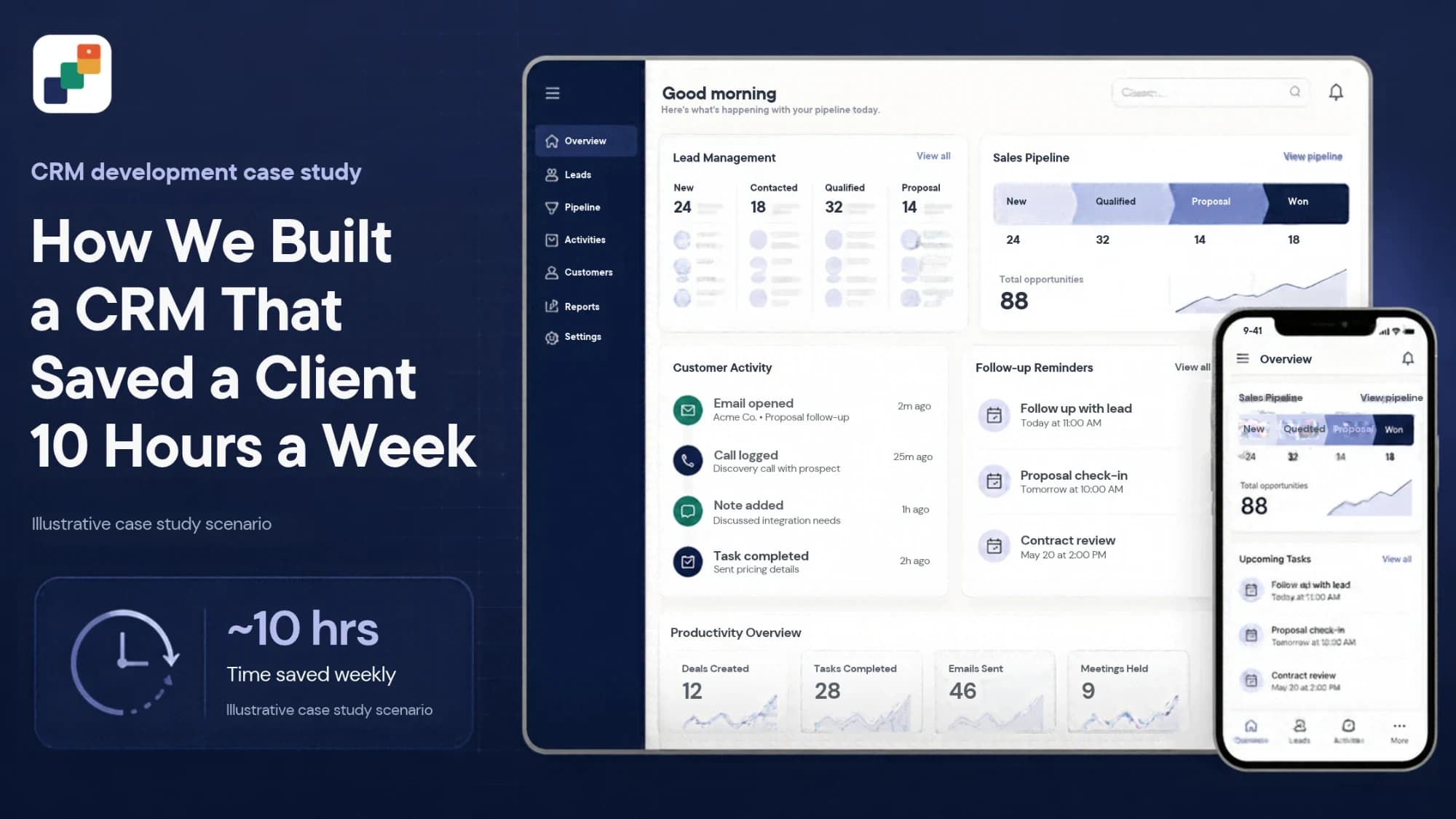
About this case study. This article walks through how we approach a custom CRM project, using an illustrative scenario: a growing sales team that tracked leads in spreadsheets, email and chat. The business, the people and the figures, including the 10-hour weekly saving, are illustrative and are explained in full in the business impact section. They are not measured results from a named client.
Most businesses do not decide to build a CRM because they want software. They decide because something has started to hurt. Leads go quiet because nobody followed up. Two people call the same customer on the same day. The Monday sales meeting starts with half an hour of "which version of the spreadsheet is right?". The work still gets done, but it takes longer every month, and nobody can see the whole picture.
This article follows one such business from that point to a working CRM, and explains in plain English what happens behind the scenes at every stage: how the problem is understood, how features are planned and designed, how the dashboard, server, database and API work together, how automation removes repetitive work, how security protects customer data, and how the system is tested and put live. If you are a business owner considering a custom CRM, it should help you understand what you are buying and what to ask.
When business operations become too complicated
In our scenario, a business with a small sales team and an operations manager had grown steadily. Enquiries arrived through the website, email, phone calls and referrals. Each salesperson kept their own notes; a shared spreadsheet held the "master" lead list; reminders lived in personal calendars; and the weekly report was assembled by hand every Friday.
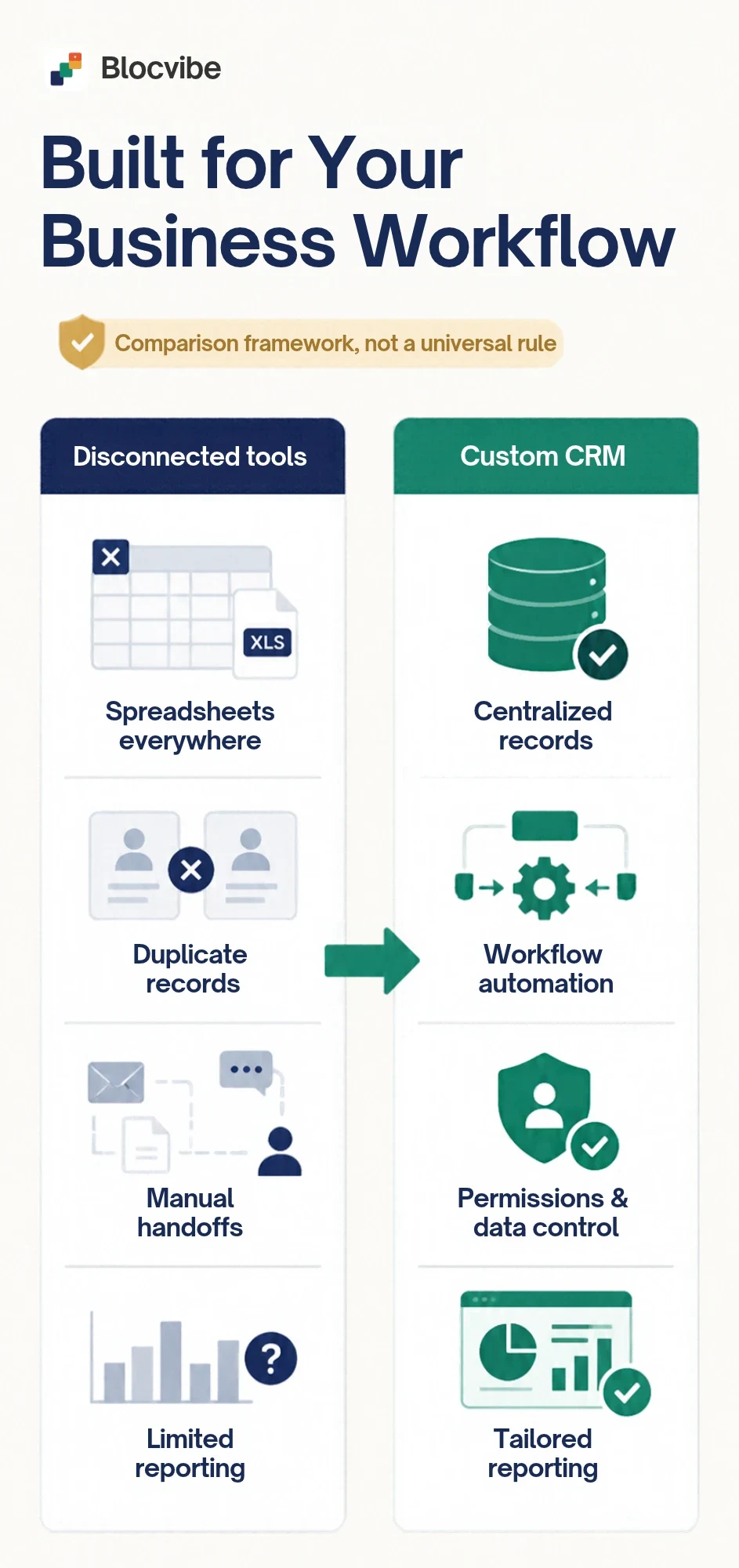
The symptoms will be familiar to many teams:
- Customer information in spreadsheets that several people edit, copy and overwrite.
- Scattered communication across email threads, chat messages and phone notes.
- Manual follow-ups that depend on someone remembering.
- Repeated data entry: the same details typed into the spreadsheet, the email and the invoice.
- Unorganised tasks, with no shared view of who is doing what.
- Leads that are hard to track from first enquiry to closed deal.
- Missing information when a colleague is away and nobody can find the latest conversation.
- Little visibility into pipeline and team performance without building a report by hand.
- Time lost switching between five or six tools to answer one customer question.
Each problem is small. Together they cost hours every week, and the cost grows with every new customer and every new hire. A CRM (customer relationship management system) puts customers, leads, conversations and tasks in one place, so the whole team works from the same information. The business objective in our scenario was simple to state: stop losing leads, stop doing the same admin twice, and give managers a live view of the pipeline.
Understanding the business problem before writing code
The most expensive mistake in software is building the wrong thing well. So the first phase of a CRM project involves no code at all. It is about understanding how the business actually works.
- Stakeholder interviews: short conversations with the people who will use the system: salespeople, the operations manager, the owner, and anyone who receives reports.
- Workflow analysis: following a real lead from first contact to signed deal, step by step, and writing down every tool and every hand-off.
- Repetitive tasks: noting what is typed twice, what is copied between tools, and what depends on memory.
- Responsibilities: who owns each step, who approves what, and who needs to see which information.
- Bottlenecks: where work waits, such as a manager assigning leads only once a day.
- Process mapping: drawing the current process, then the improved one, so everyone can agree on it before anything is built.
- Objectives: agreeing what success looks like, and how it will be measured.
Only after this does it make sense to choose technology. A business that needs offline access in the field, deep accounting integration or strict data residency needs different architecture from one that mainly needs a shared pipeline.
Example: mapping a manual lead process
| Step | Manual process (before) | Structured CRM workflow (after) |
|---|---|---|
| Enquiry arrives | Copied from the email into the spreadsheet | Website form creates the lead automatically |
| Duplicate check | Someone searches the spreadsheet by eye | The CRM matches email and company and flags duplicates |
| Assignment | Manager reads the list and messages a salesperson | Assigned by agreed rules, such as region or rotation |
| Follow-up | Salesperson sets a personal calendar reminder | Task and reminder created with a due date |
| Progress | Status updated in the spreadsheet, sometimes | Pipeline stage changes as work is logged |
| Reporting | Figures collected by hand every Friday | Live dashboard and a scheduled weekly summary |
Planning the CRM: turning requirements into features
With the process agreed, the team turns it into a plan that designers, developers and testers can all work from.
- Functional requirements describe what the system does: "a salesperson can log a call against a lead".
- Non-functional requirements describe how well it does it: speed, security, availability, accessibility and where data is hosted.
- User roles and permissions define who can see and do what: salespeople see their own and their team's leads; managers see everything in their region; only administrators manage users and settings.
- User journeys and user stories describe tasks from the user's point of view: "As a salesperson, I want today's follow-ups on my home screen, so I can start calling straight away."
- Acceptance criteria define when each story is done, in a way a tester can check.
- Prioritisation and MVP planning decide what the first release must include, and what waits for later phases.
- A roadmap sets out the phases, so the business sees value early and the scope stays controlled.
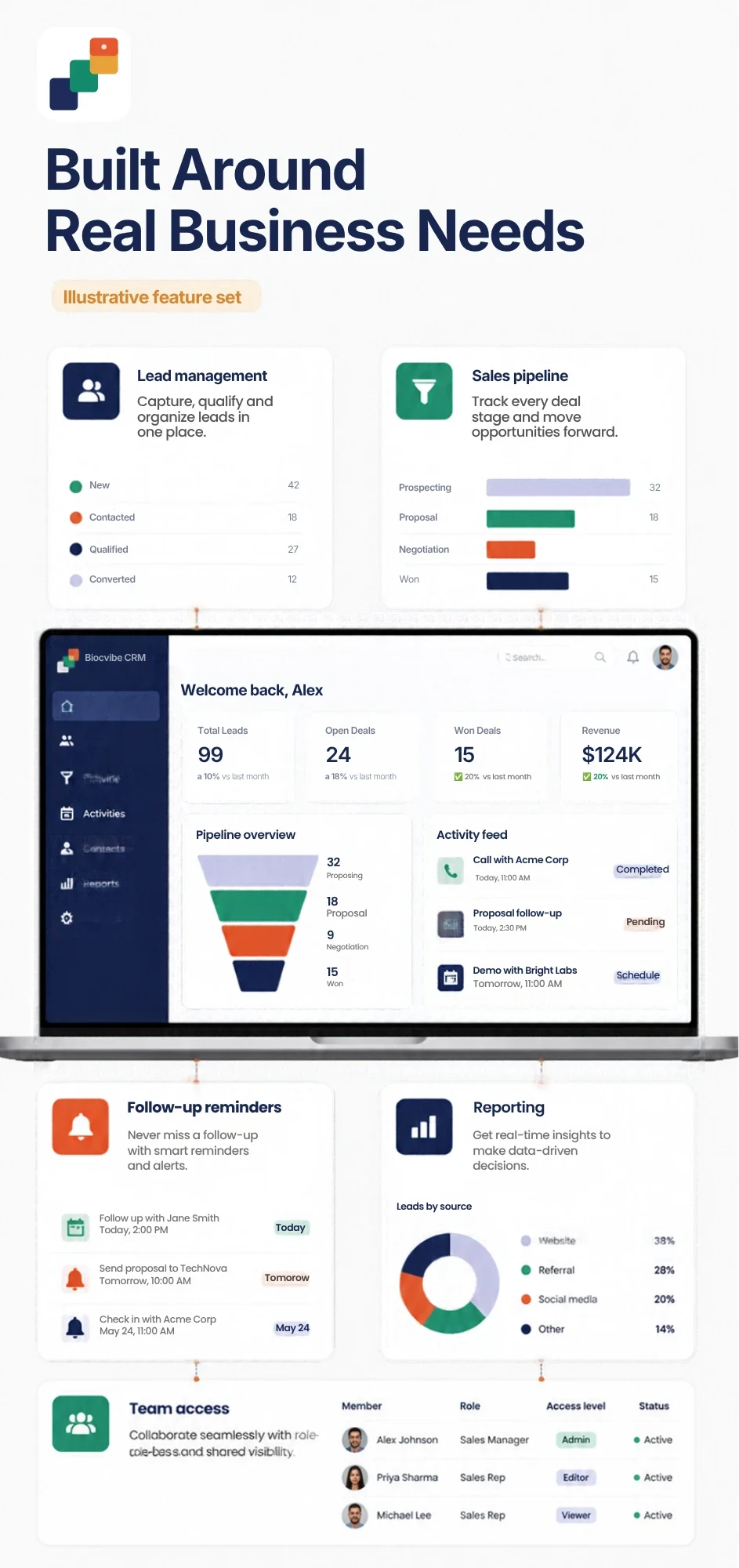
A typical CRM feature structure
The table below shows the feature set we would typically plan for a sales-led business like the one in our scenario. It is an illustrative structure, not a list of features from a specific delivered system.
| Feature | What it does | Typical phase |
|---|---|---|
| Dashboard | Today's tasks, pipeline totals and recent activity at a glance | First release |
| Lead management | Capture, qualify and track leads through agreed stages | First release |
| Customers and contacts | Companies, people and their full history in one record | First release |
| Tasks and follow-up reminders | Due dates, reminders and overdue alerts | First release |
| Notes and activity history | Calls, emails, meetings and internal notes on each record | First release |
| Roles and permissions | Each person sees and does only what their role allows | First release |
| Automated workflows | Assignment, reminders and notifications without manual steps | First release (core rules) |
| Reports and analytics | Pipeline, conversion and team activity reports | First release (core reports) |
| Team management | Teams, regions and targets | Later phase |
| Document management | Proposals and contracts stored against the right customer | Later phase |
| Integrations | Email, calendar, accounting or telephony | Later phase, as needed |
UI/UX design: what happens before development begins
Design is where the agreed process becomes screens people will use every day. Good design removes clicks, confusion and mistakes; poor design makes people go back to the spreadsheet.
- User research confirms how each role works and what they need first thing in the morning.
- Information architecture organises everything into a clear structure: what lives under Leads, Customers, Tasks and Reports.
- Navigation planning keeps the most common tasks one or two clicks away.
- Wireframes are simple black-and-white layouts, like an architect's sketch, used to agree what goes where.
- Interactive prototypes are clickable designs that look real but have no working system behind them, so users can try a journey before it is built.
- A design system defines typography, colours, buttons, forms and spacing once, so every screen is consistent and faster to build.
- Responsive layouts make the CRM work on a desktop in the office and on a phone between meetings.
- Usability testing puts the prototype in front of real users and fixes what confuses them.
The difference matters: a wireframe agrees the structure, a prototype tests the experience, and only working software stores real data and runs real rules. Changing a prototype takes minutes; changing working software takes days.
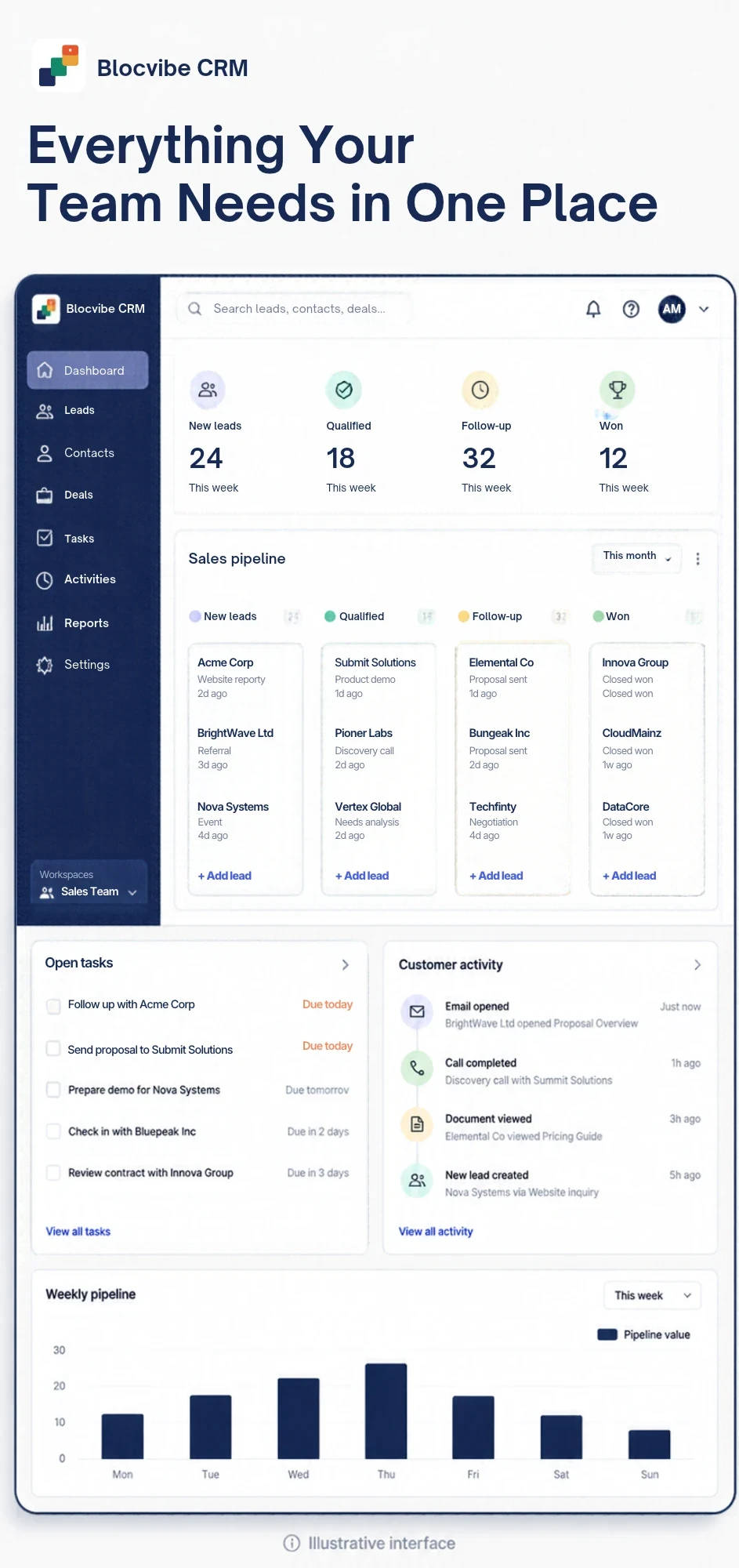
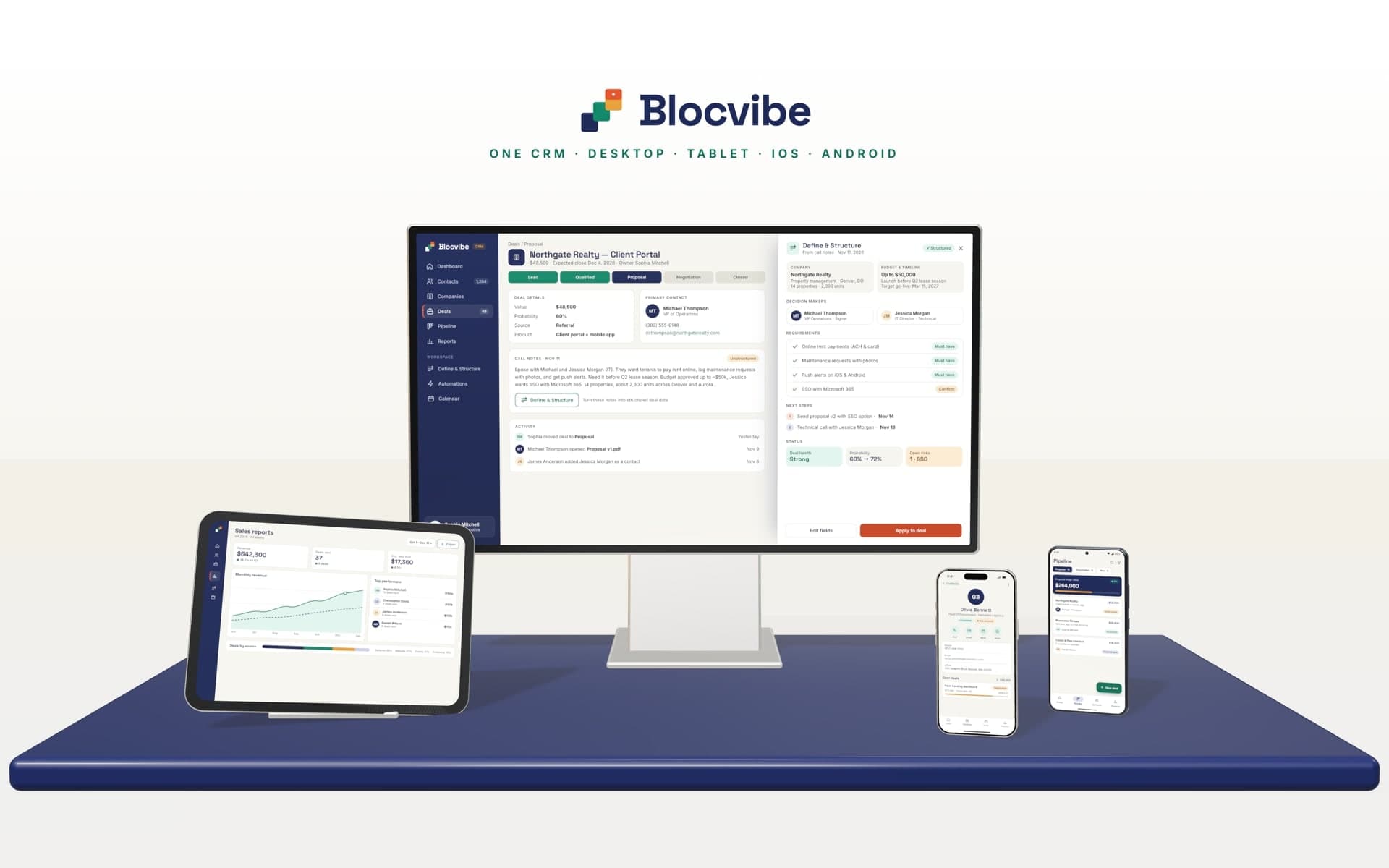
Each role sees a dashboard designed for its job. A salesperson's home screen leads with today's follow-ups and their own pipeline. A manager's leads with team totals, stalled deals and overdue tasks. An administrator's focuses on users, permissions and settings.
Behind the scenes: how a CRM application actually works
A CRM looks like one product, but it is several parts working together. A useful comparison is a well-run office: a reception desk where people make requests, a back office that applies the company's rules, a filing room where records are kept, and internal mail that carries requests between them.
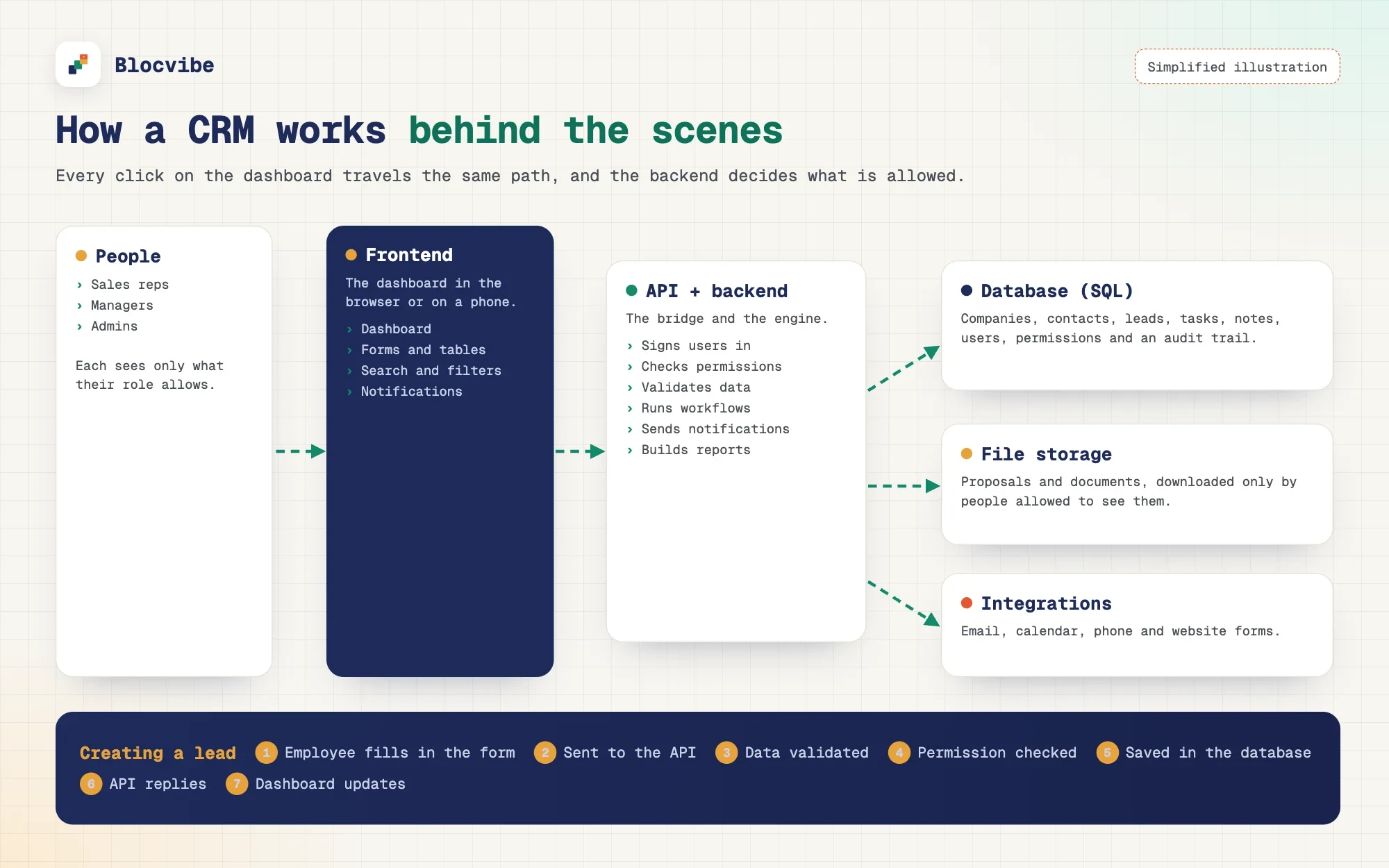
Frontend: what people see and use
The frontend is the reception desk: the dashboard, forms, tables, buttons, navigation, filters, search and notifications that people use in their browser or on their phone. It is designed to be fast and clear, and it works on any screen size. Importantly, it does not decide what is allowed; it asks the backend.
Backend: the rules and the engine
The backend runs on a server and holds the business logic. It signs people in, checks permissions on every request, validates every piece of data, runs workflows such as lead assignment, sends notifications and builds reports. If the frontend is the reception desk, the backend is the experienced office manager who knows the rules and applies them the same way every time.
Database: where the information lives
The database stores the CRM's records: users, companies, contacts, leads, tasks, activities, notes, documents, permissions and an audit trail of important actions. It is organised so that related information can be found instantly, which is explained in the next section.
APIs: the communication bridge
Think of the API as a communication bridge between the CRM dashboard and the server. When an employee creates a new lead, the dashboard sends the information across this bridge. The backend checks the information, processes the request and saves the approved record in the database. Here is the full journey:
- An employee fills in the "New lead" form and presses Save.
- The frontend sends the details to the API over an encrypted connection, together with proof of who is signed in.
- The backend validates the request: required fields present, email in a valid format, values within limits.
- The backend checks permissions: is this person allowed to create leads for this region?
- The database stores the lead, linked to its company, contact and assigned salesperson.
- The API returns the result, including the new record's details.
- The dashboard updates, and any automated workflow, such as assignment and a follow-up reminder, starts.
The same pattern applies to every action in the CRM, from logging a call to exporting a report. Integrations with email, calendars or other services connect to the backend in the same controlled way, never directly to the database.
Database architecture: how business information is organised
A database is an organised store of information, designed so it can be searched, updated and combined quickly and safely. Most CRMs use a relational (SQL) database, such as MySQL or PostgreSQL, because CRM data is full of relationships: companies have contacts, leads have tasks, tasks belong to people.
- Tables and records: each table holds one kind of information, like a well-labelled filing drawer. Each row is a record, such as one lead.
- Primary keys: every record has a unique number, like an account number, so it can never be confused with another.
- Foreign keys: a record stores the number of a related record in another table. A lead stores its company's number, which is how the CRM knows which company it belongs to.
- Relationships: one company has many contacts; one lead has many tasks, notes and activities; one user is assigned many leads.
- Indexes: like the index at the back of a book, they let the database find "all open leads for this salesperson" instantly, even with hundreds of thousands of records.
- Validation and integrity: rules in the database and the backend prevent impossible data, such as a task for a lead that does not exist.
- Migrations: versioned scripts that change the database structure in a controlled, repeatable way, so every environment stays in step.
- Backups: automatic copies, stored separately and regularly test-restored.
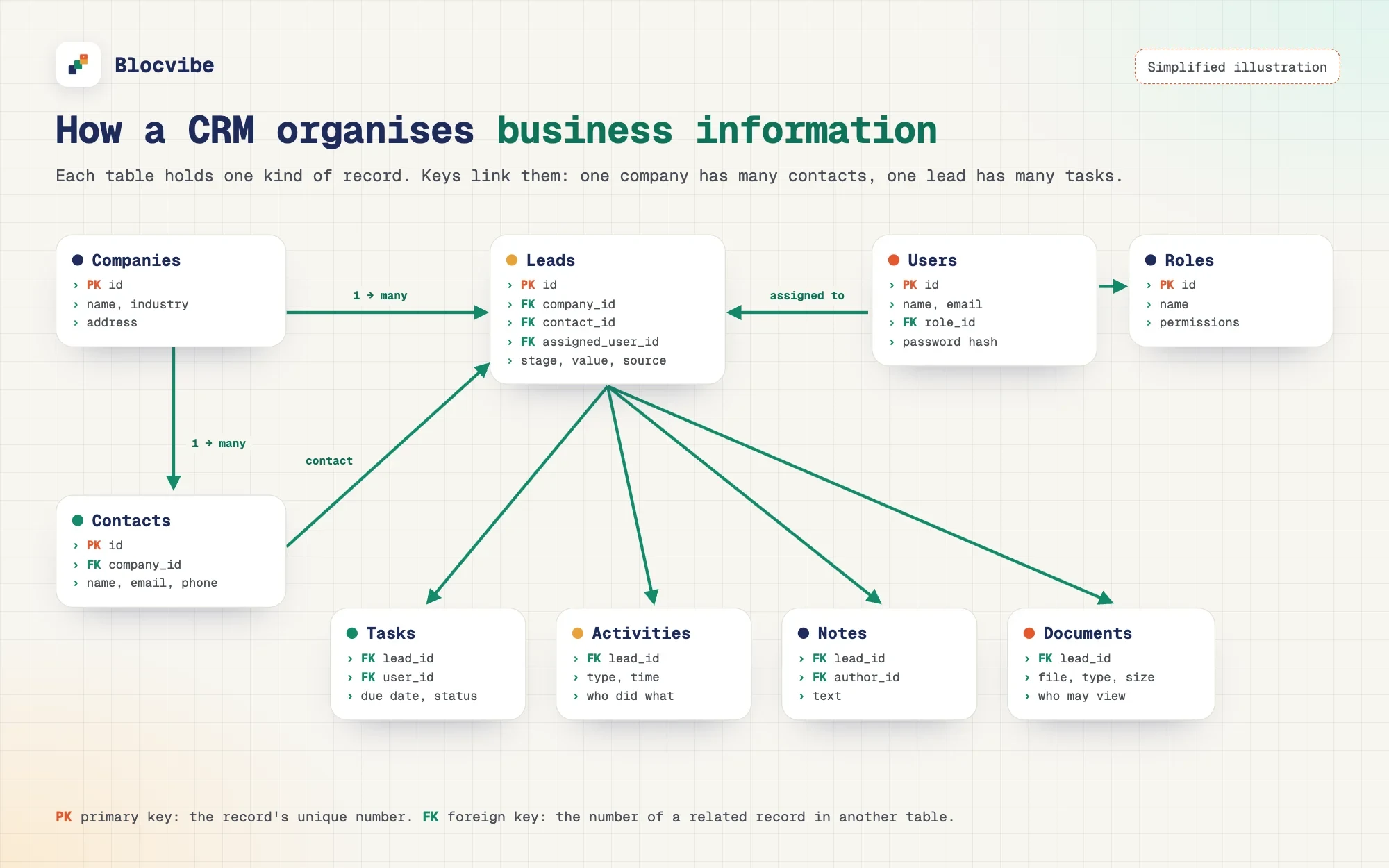
Here is how one lead connects to everything else. Lead 482 belongs to a company (record 57), names a contact at that company, and is assigned to a salesperson. It has three tasks, a history of calls and emails, two internal notes and a proposal document. When the salesperson opens the lead, the CRM gathers all of this in a fraction of a second because the relationships were designed in from the start. Get the data model right early, and new features such as reports or integrations slot in easily; get it wrong, and every change becomes slow and risky.
Workflow automation: where the time savings come from
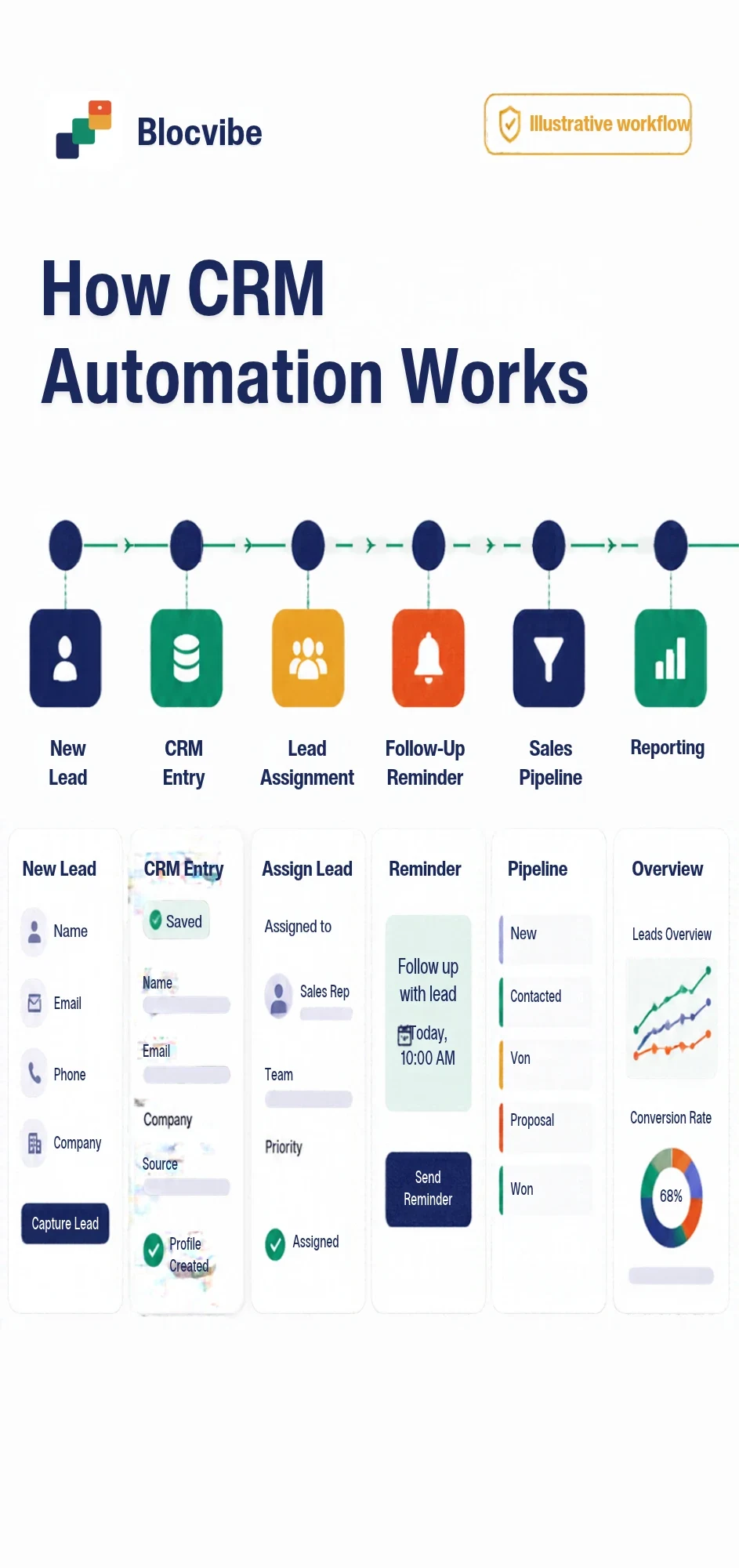
Automation means the CRM carries out agreed steps by itself when something happens. A trigger starts it (a new lead arrives, a stage changes, a task becomes overdue), and rules agreed with the business decide what happens next. Typical CRM automations include:
- Automatic lead assignment by region, product, workload or rotation.
- Follow-up reminders and task creation when a lead arrives or changes stage.
- Email notifications to the right person, at the right time.
- Status updates when work is logged, so the pipeline stays current without extra clicks.
- Activity tracking, recording calls, emails and meetings against the right record.
- Duplicate detection when a new lead matches an existing company or email.
- Automated reporting, with weekly summaries produced and sent on schedule.
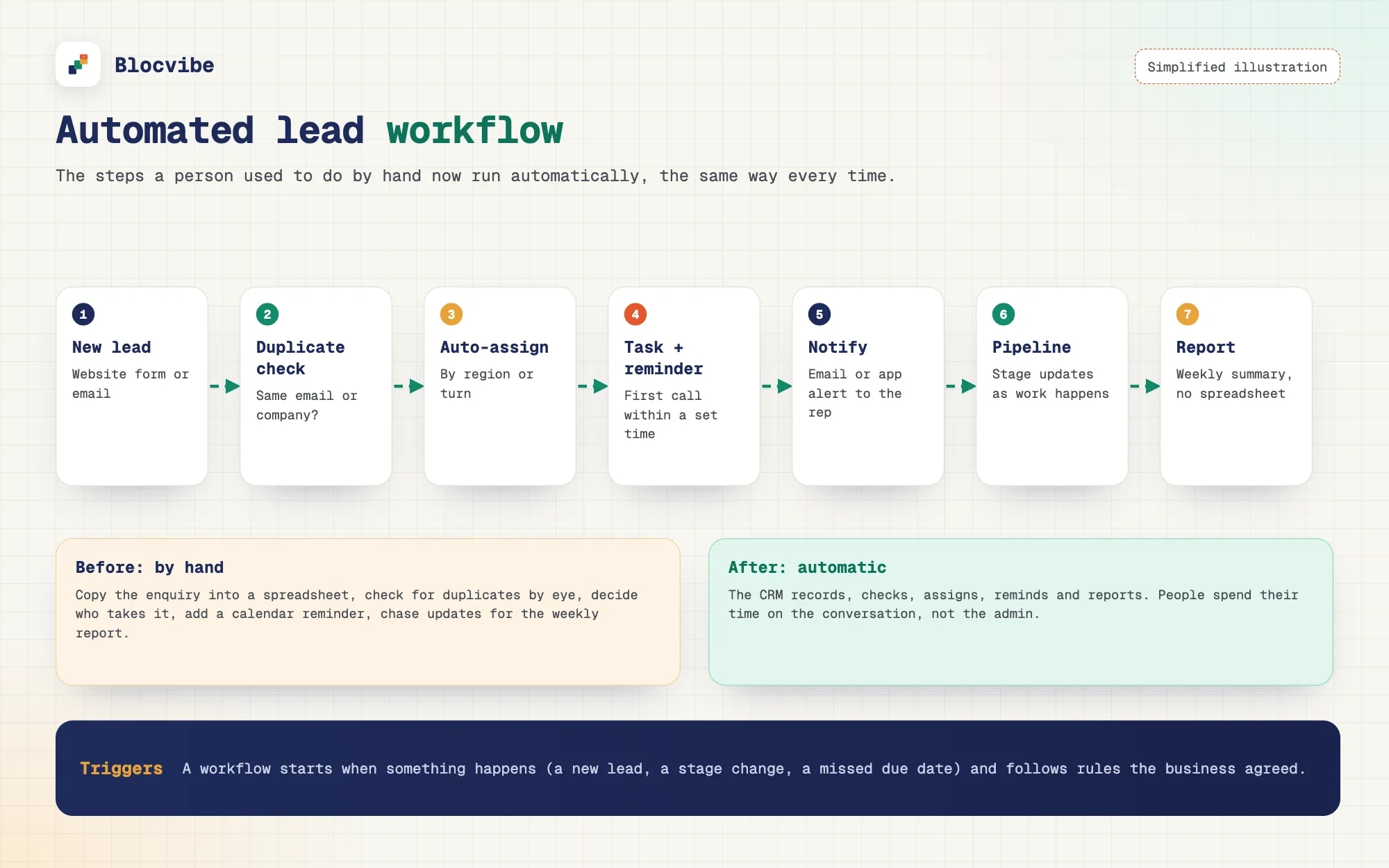
Automation saves time in two ways. It removes repeated manual steps, such as retyping, checking and chasing, and it makes work consistent, so fewer leads fall through the gaps and less time is spent correcting mistakes. The point is not to replace people, but to let them spend their time on conversations with customers rather than on admin.
Application security: protecting business and customer information
A CRM holds some of a business's most valuable information: customer details, deal values, pricing and internal notes. Security therefore has to be part of the architecture from the first design, not added after launch. No system can honestly be called completely secure; the aim is to reduce risk deliberately, following established guidance such as the OWASP Top 10, the OWASP Application Security Verification Standard (ASVS) and the OWASP API Security Top 10.
Authentication: proving who you are
- Secure login: passwords are stored only as one-way hashes, like a fingerprint that can be checked but not turned back into the password, using algorithms designed for the job (see the OWASP Password Storage Cheat Sheet).
- Sessions and tokens: after login, the browser holds a secure session, or a mobile app holds a short-lived access token plus a refresh token. If one is stolen, it expires quickly and can be revoked.
- Multi-factor authentication: a second check, such as a code or passkey, for administrators and anyone with access to sensitive data.
- Limits on guessing: repeated failed sign-ins are slowed down or blocked.
Authorisation: what you are allowed to do
Role-based access control (RBAC) gives each role a set of permissions. Administrators manage users and settings; managers see their region; salespeople see their own and their team's leads. Sensitive records, such as pricing or contracts, can be restricted further.
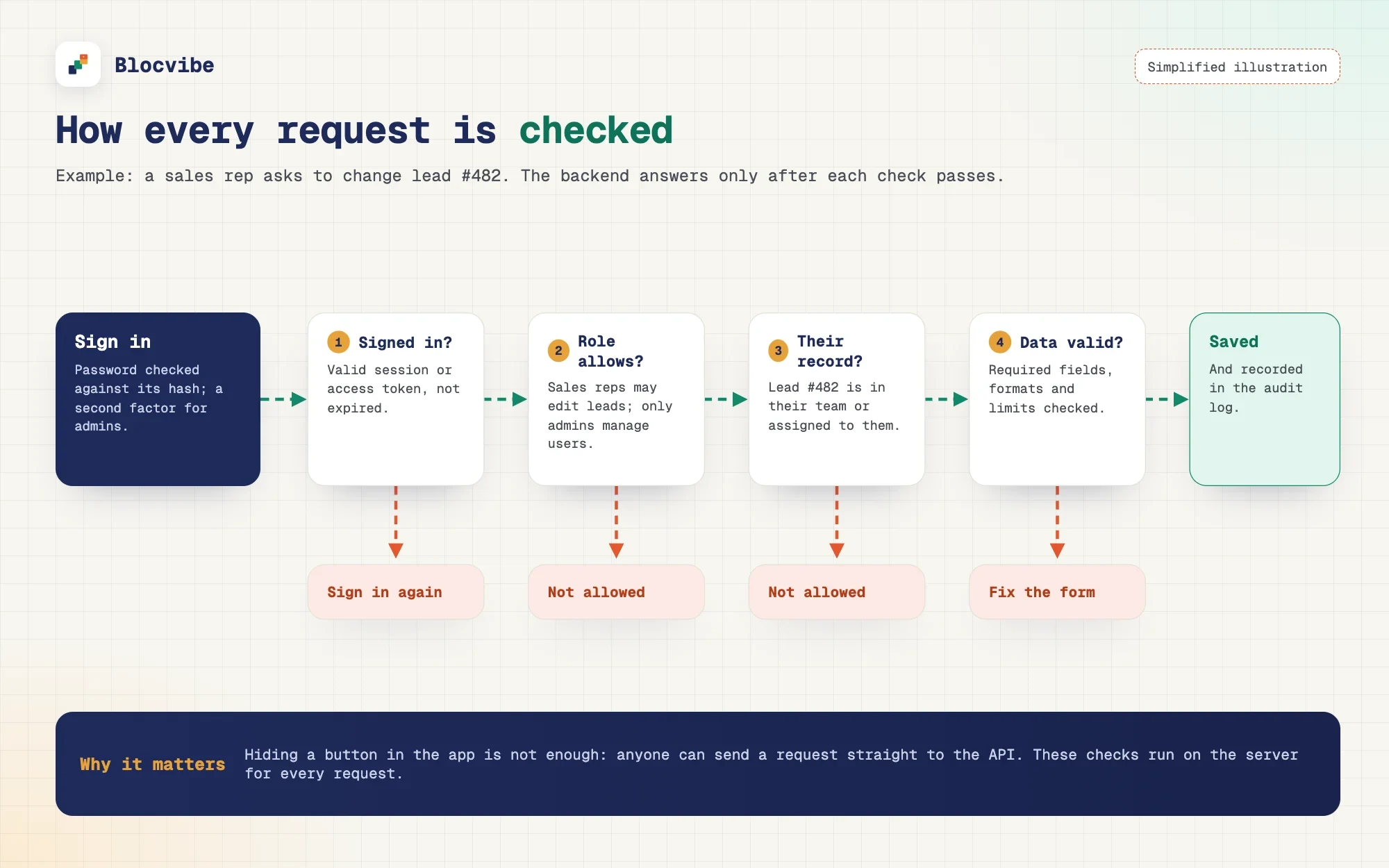
Why hiding a button is not security. Suppose only managers see the "Export all customers" button. Anyone can still send that request straight to the API, without using the dashboard at all. The backend must check, on every request, that the person really is a manager and is allowed to export that data. The interface hides what people do not need; the server enforces what they may do.
API security
- HTTPS/TLS encrypts every request between the dashboard and the server.
- Authentication and authorisation on every endpoint, checked on the server for every request.
- Input validation on the server, because data from outside cannot be trusted.
- Rate limiting on sign-in, search, exports and other sensitive or expensive actions.
- Safe error handling that tells users what to fix without revealing internal details.
Database security
- SQL injection prevention: queries are built with parameters, so typed input can never run as a database command.
- Restricted access: the database is not reachable from the internet, and the application's account has only the permissions it needs.
- Encryption at rest for the database, backups and file storage.
- Secure, tested backups, stored separately.
- Audit logging of sign-ins, permission changes, exports and deletions, so important actions can be traced.
Common vulnerabilities, in plain English
| Vulnerability | What it means in a CRM |
|---|---|
| Broken access control | A salesperson changes a number in the address bar and sees another team's customer |
| SQL injection | Text typed into a search box is run as a database command |
| Cross-site scripting (XSS) | A malicious script hidden in a note runs in a colleague's browser |
| Cross-site request forgery (CSRF) | Another website tricks a signed-in user's browser into making a change |
| Insecure file uploads | A harmful file is uploaded disguised as a proposal |
| Weak authentication | Guessable passwords, no limits on attempts, sessions that never expire |
| Sensitive data exposure | Customer data sent without encryption or shown in error messages |
| Vulnerable dependencies | An outdated third-party library with a known flaw |
Files, documents and infrastructure
- Files: uploads are checked for their real type and size, given new file names, stored outside the public website, downloaded only by people allowed to see them, and scanned for malware where appropriate (see the OWASP File Upload Cheat Sheet).
- Secrets: passwords and API keys live in environment variables or a secrets manager, separate for each environment, and never in the code or the browser.
- Servers: HTTPS certificates, hardened configuration, monitoring, logging, tested backups and recovery, and regular updates to the operating system and every dependency.
Scalability: preparing the CRM for growth
Scalability means the CRM keeps working well as the business grows: more people using it at once, more customers and records, more files and more reports. Think of a restaurant that adds tables: it also needs a bigger kitchen, a faster till and a better booking system, or service slows down.
- Database performance: good indexes and efficient queries keep searches fast as records grow from thousands to millions.
- Caching: frequently used results, such as dashboard totals, are kept ready instead of being recalculated on every visit.
- Background jobs: slow work, such as sending hundreds of emails or building a large report, runs behind the scenes so the dashboard stays quick.
- File storage: documents live in dedicated storage that grows without limits on the server.
- API performance: pages load in sections and lists are paginated, so no screen asks for everything at once.
- Load balancing and cloud infrastructure: traffic is spread across servers, and capacity is added when it is needed.
- Monitoring: response times and errors are tracked, so slowdowns are fixed before users notice.
Designing for growth is not the same as overengineering. A first release for a team of ten does not need the infrastructure of a global platform. It needs a clean structure, a sound data model and sensible habits, so that adding capacity later is a configuration change rather than a rebuild.
Testing and quality assurance
Testing is how the team proves the CRM does what was agreed, and keeps doing it after every change. Each layer is tested in a different way:
| Type of testing | What it checks | CRM example |
|---|---|---|
| Unit testing | Small pieces of logic in isolation | The assignment rule picks the right salesperson for a region |
| Integration testing | Parts working together | Creating a lead also creates its first task and reminder |
| API testing | Every endpoint's responses and errors | A lead without an email address is refused with a clear message |
| Functional testing | Complete user journeys | A lead moves from New to Won, with every step recorded |
| Role and permission testing | Who can and cannot do each action | A salesperson cannot open another region's customer, even by typing the address |
| Security testing | Known weaknesses and attack patterns | Scripts typed into notes are shown as text, never run |
| Cross-browser and responsive testing | Browsers and screen sizes | The dashboard works in Chrome, Safari, Edge and Firefox, on desktop, tablet and phone |
| Performance testing | Speed under realistic load | Search stays fast with a realistic number of records |
| User acceptance testing | The business confirms it meets the agreed needs | The sales team runs a normal week in the CRM before launch |
Automated tests run on every change, so a fix in one place cannot quietly break something elsewhere. Finding a problem in testing costs minutes; finding it after launch costs customer trust.
Deployment: how the CRM goes live
Deployment is the journey from a developer's laptop to the live system your team uses. It follows a controlled path, so that every update is checked before it reaches users.
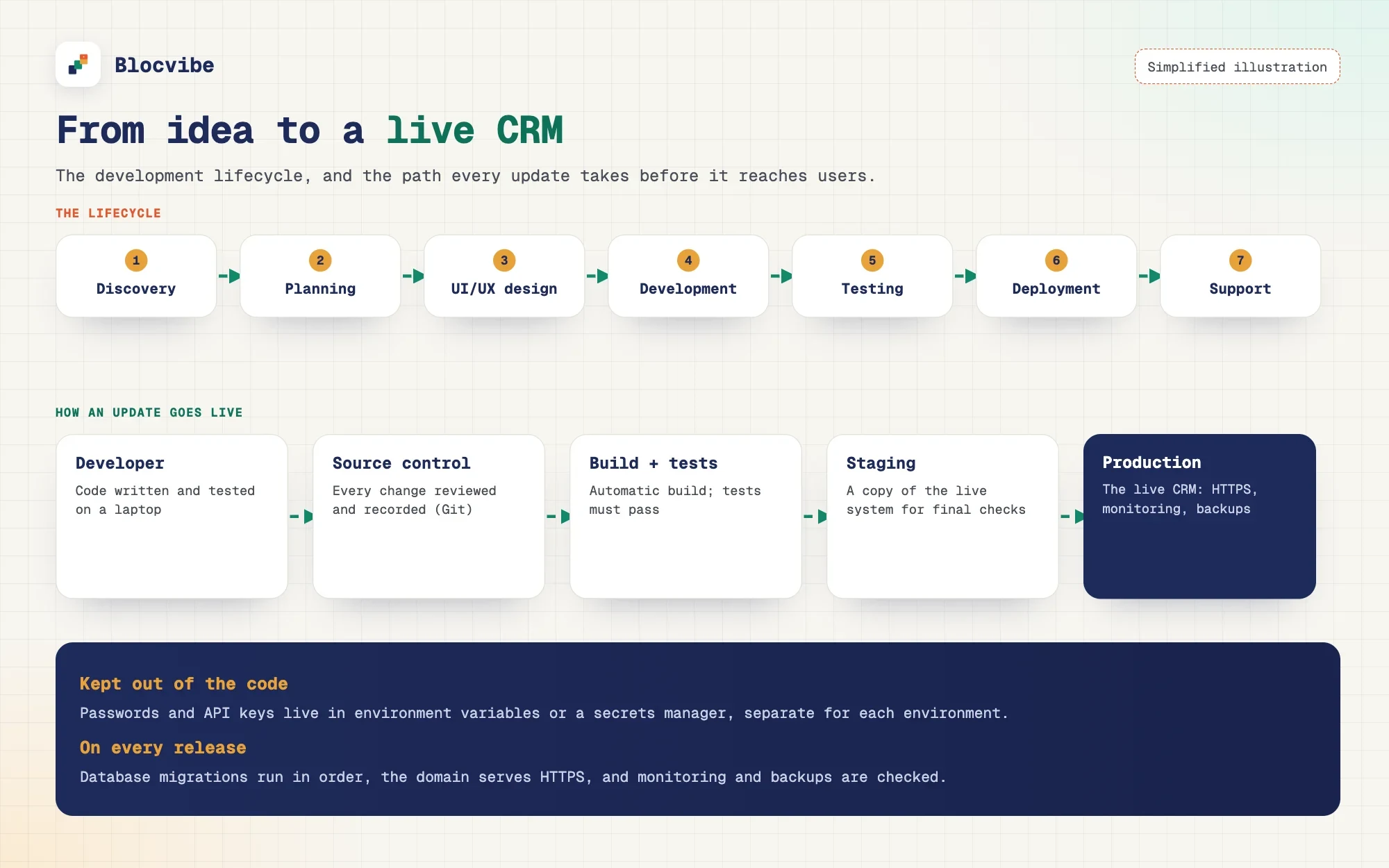
- Development environment: where code is written and tested, with test data only.
- Source control: every change is recorded and reviewed (typically in Git), so the team knows exactly what changed and can undo it.
- Build and automated tests: each change is built and tested automatically; a failing test stops it.
- Staging: a copy of the live system where the business can check a release before it goes out.
- Production: the live CRM, served over HTTPS on your domain (with DNS and SSL certificates configured), monitored, and backed up.
- Configuration: environment variables hold each environment's settings and secrets, outside the code.
- Database migrations run in order with each release, so the database structure always matches the code.
After launch, the CRM needs maintenance: security updates, dependency upgrades, monitoring and small improvements as the team uses it. Planning for this from the start keeps the system healthy and avoids expensive catch-up work later.
The business impact: understanding the 10-hour weekly saving
Time savings should be calculated, not guessed. The formula is simple:
Weekly time saved = time spent on the activity before automation − time spent on it after automation
The table below applies it to the scenario in this article: a small sales team and an operations manager, adding up the hours the whole team spends each week. These figures are an illustrative example of the calculation, not measurements from a named client. For a real project, the "before" figures come from timing the current process during discovery, and the "after" figures from the same activities a few weeks after launch.
| Activity (whole team, per week) | Before (hours) | After (hours) | Saved (hours) |
|---|---|---|---|
| Manual lead entry and copying between tools | 3.0 | 0.5 | 2.5 |
| Scheduling and chasing follow-ups | 2.0 | 0.5 | 1.5 |
| Finding customer information and history | 2.5 | 0.5 | 2.0 |
| Allocating leads and tasks | 1.5 | 0.25 | 1.25 |
| Preparing the weekly status report | 2.5 | 0.5 | 2.0 |
| Internal updates and status questions | 1.5 | 0.75 | 0.75 |
| Total | 13.0 | 3.0 | 10.0 |
In this illustration, most of the saving comes from removing retyping and searching, and from reports that build themselves. Your own figures will differ depending on team size, lead volume and how your current process works, which is exactly why they should be measured during discovery.
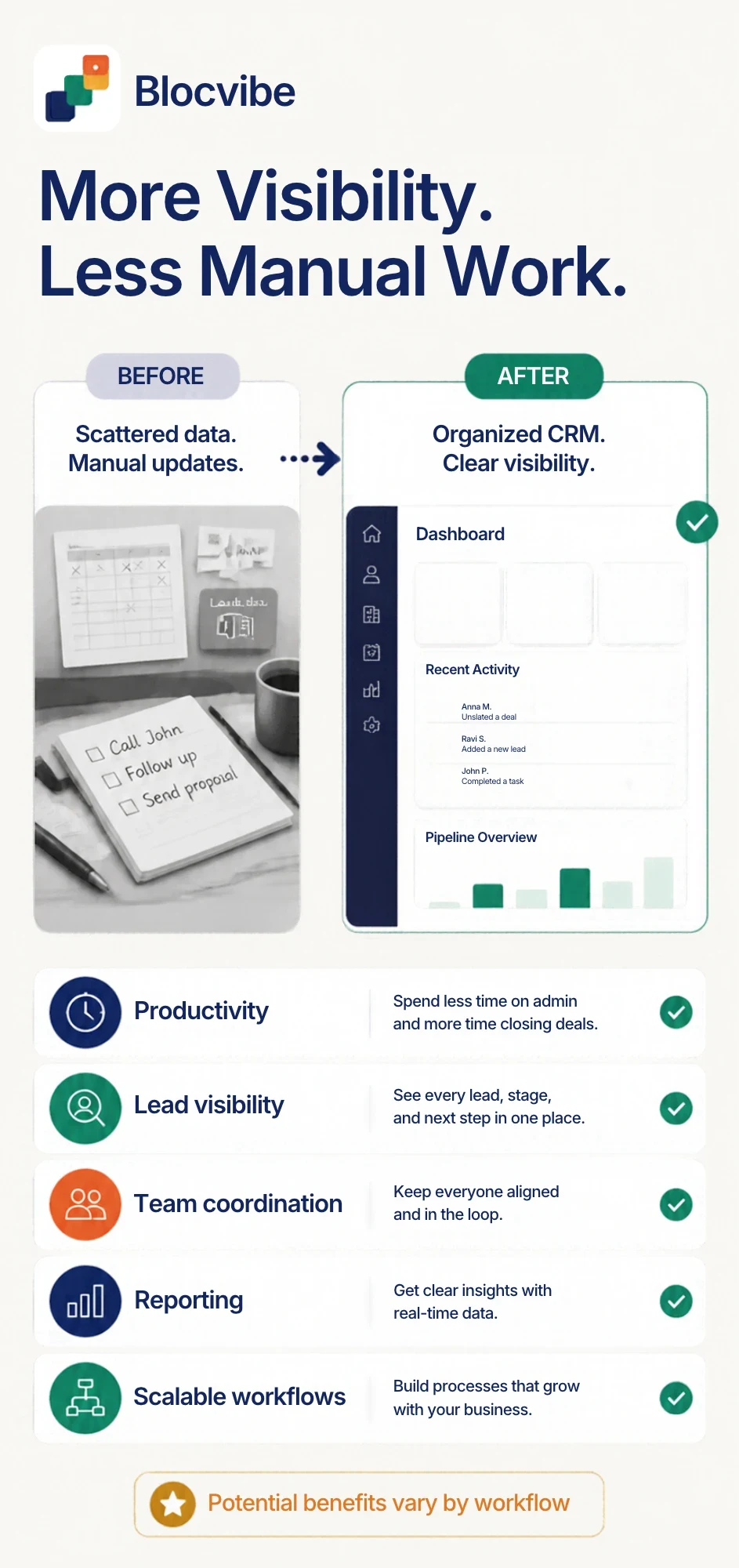
The benefits go beyond hours saved:
- Productivity: more time selling and serving customers, less on admin.
- Visibility: managers see the pipeline and team activity live, without asking.
- Consistent follow-ups: reminders and assignment rules mean fewer leads go quiet.
- Less administrative work: information is entered once and reused everywhere.
- Better organised data: one up-to-date record per customer, with its full history.
- Team coordination: everyone works from the same information, so hand-offs are smooth.
What to consider before building a custom CRM
A custom CRM is not always the right answer. Ready-made CRMs suit many businesses well, especially when their processes match the product's way of working. A custom CRM makes sense when your process is a competitive advantage that off-the-shelf tools force you to compromise, when you need deep integration with your own systems, when per-user licence costs keep rising with your team, or when you need full control over your data and where it is stored. Our guide to custom CRM software development compares the options in more detail.
- Existing processes: map them first; software should support a good process, not automate a broken one.
- Custom or off-the-shelf: compare total cost over several years, not just the first invoice.
- Integrations: email, calendar, accounting, telephony and your website.
- User roles: who needs to see and do what.
- Data migration: moving existing spreadsheets and contacts cleanly, with duplicates resolved.
- Security requirements: sensitive data, access rules and any regulations that apply.
- Reporting: the decisions your reports need to support.
- Budget: design, development, testing, hosting and ongoing maintenance.
- Scalability and future features: where the business will be in two to three years.
How Blocvibe can help
A successful CRM is much more than a dashboard. It comes from understanding the business, planning the right features, designing an architecture that stays secure and fast as you grow, automating the right work, and testing it all before anyone relies on it. That is how we approach every project, starting with discovery and requirements, research and planning, and architecture and technical strategy before design and development.
Blocvibe builds CRM and ERP systems that follow your business rules, as part of our custom software development work, along with web applications and the integrations that connect them to the tools you already use.
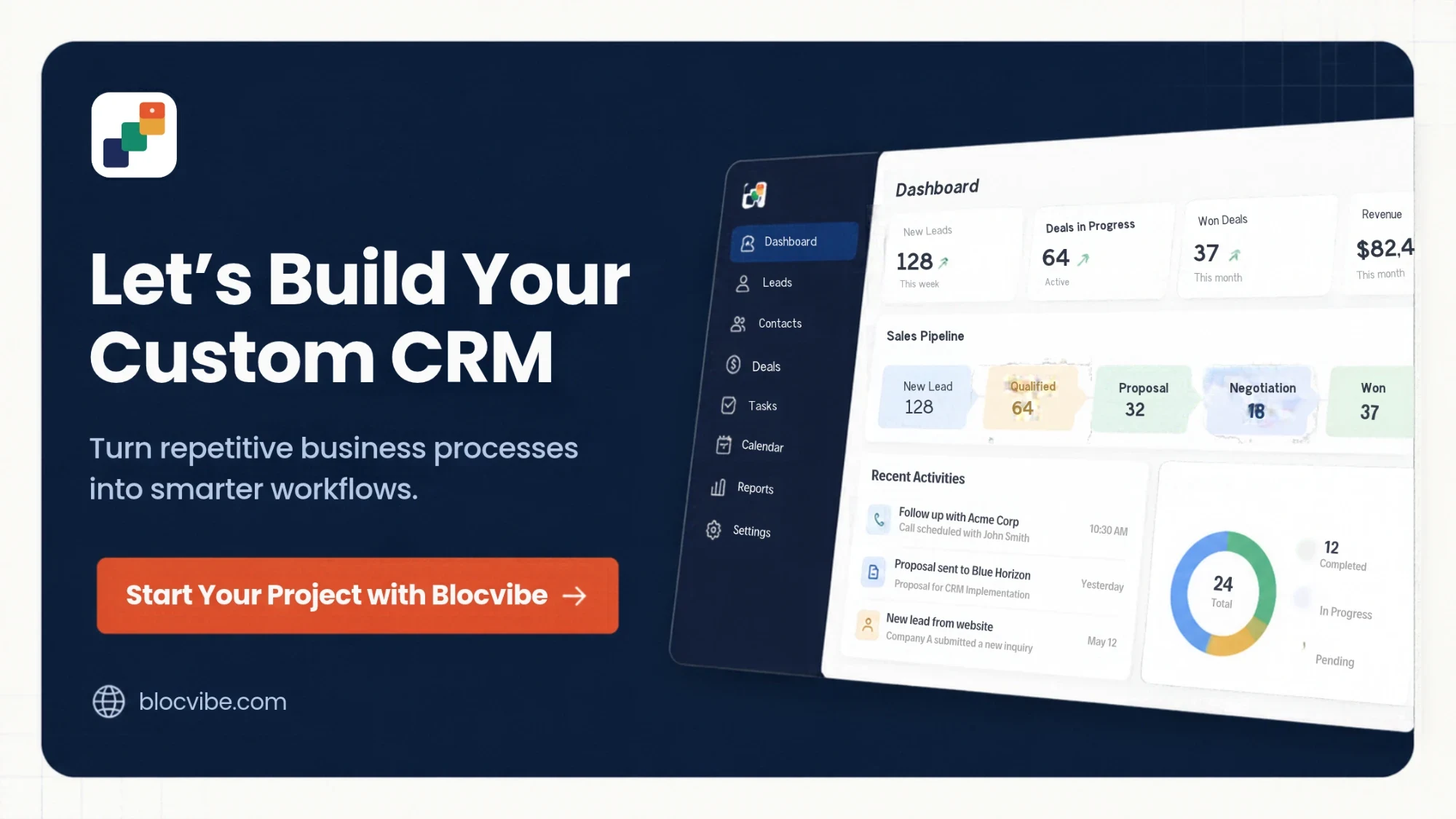
If your team is losing time to spreadsheets, scattered tools and manual follow-ups, tell us about your CRM requirements. We will talk through your process, what a custom CRM could change, and an honest view of whether custom or ready-made software is the better fit.
 By Blocvibe