Most businesses already have a CRM, whether they call it that or not. It might be a spreadsheet of leads, an inbox full of quotes, a whiteboard of jobs and a group chat where the field team posts photos. It works until it does not: a follow-up is missed, two people quote the same customer, or the owner cannot answer a simple question such as how much work is in the pipeline this month.
A CRM, short for customer relationship management, is the system that brings that information together. The word suggests sales teams and large companies, but the idea applies to any business that wins customers, delivers work and wants to know what is happening. The difference between a CRM that helps and one that gets in the way is usually fit: whether the software follows the way your business works, or forces your team to work around it.
This guide explains what a custom CRM is, the problems it solves in different industries, how it works across desktop, iPhone and Android, when an off-the-shelf product is the better choice, and how a custom system is planned and built.
Already know what you need? Talk to us about your CRM, or read about our CRM and ERP development service.
What a custom CRM actually does
At its core, a CRM keeps one record of each customer and everything that happens around them: enquiries, conversations, quotes, deals, jobs, documents and invoices. A custom CRM goes further by modelling the rules that make your business different, such as how you price, who approves what, which stages a job passes through and what each person is allowed to see.
Depending on the business, that can include:
- Leads and enquiries from every channel, with their source.
- Customers, contacts and companies, with their full history.
- A sales pipeline with your own stages and probabilities.
- Quotes and estimates built from your price rules, with approvals.
- Jobs, projects or bookings, with assigned staff and schedules.
- Employees and teams, with roles and permissions.
- Tasks, reminders and follow-ups.
- Documents, photos and notes attached to the right record.
- Reports and dashboards for owners and managers.
- Integrations with accounting, email, calendars and other tools.
No business needs all of these on day one. The point of a custom system is to build the parts that matter, in the shape your team already understands.
Problems a custom CRM solves, industry by industry
The examples below are illustrations of common problems and how a tailored system could address them. They are not claims that we have built a system for each of these industries.
Construction and roofing companies
The problem: enquiries arrive by phone, email, website and word of mouth. Estimates live in different files, follow-ups depend on someone remembering, and the office learns about site problems from a photo in a group chat. Managers cannot see which jobs are profitable or which crews are overloaded.
A tailored solution: one place for leads and customers; estimates and quotes built from your own pricing; a pipeline from enquiry to signed job; jobs with crew assignments and schedules; site photos and documents attached to the job; internal notes; reminders; and dashboards showing work won, work in progress and work invoiced. The office and the field see the same record, on desktop and on phones.
We have worked on this problem directly: SmartPM is a roofing CRM prototype we specified and built as working front-end phases on demo data, with six roles that each see their own view, contacts with properties and follow-up reminders, and a lead pipeline that converts leads into projects.
Real estate businesses
The problem: leads come from portals, the website, social media and calls. Agents keep their own lists, viewings are arranged by message and nobody can see the whole pipeline.
A tailored solution: property and customer records linked together; automatic lead assignment to the right agent; viewing schedules; follow-up reminders; a sales or lettings pipeline with your stages; document management for offers and contracts; and reporting by agent, property and source.
Healthcare administration
The problem: front-desk teams juggle appointment requests, enquiries, staff rotas and administrative records across phone, email and several systems.
A tailored solution: appointment administration, enquiry management, staff coordination, administrative dashboards and secure document workflows. This concerns administration, not clinical records or medical decisions.
Any system that handles health information carries extra obligations that depend on the country, such as HIPAA in the United States or UK GDPR. Privacy, consent, access control, audit trails and where data is stored need to be designed in from the start.
E-commerce and retail
The problem: customer details sit in the store platform, the email tool and the support inbox. Support staff cannot see a customer's orders while answering them, and nobody knows who the repeat customers are.
A tailored solution: customer profiles that combine orders, messages and support history; workflows for order enquiries and returns; follow-up automation; segmentation for marketing; reporting; and integrations with the store, payment and email platforms.
Education and training
The problem: enquiries from prospective students go cold, admissions depend on spreadsheets, and staff cannot see where each applicant is.
A tailored solution: enquiry management; student records; admission workflows with clear stages; course and programme information; reminders for follow-ups and deadlines; staff dashboards; and enrolment reporting. Data about children needs particular care.
Agencies and professional services
The problem: many clients, many projects, deadlines in people's heads and decisions buried in email threads.
A tailored solution: client management; project tracking; task assignment with clear owners; team collaboration and internal notes; document sharing; and project status reports that are generated rather than assembled by hand.
Logistics and field service
The problem: jobs are allocated by phone, the office cannot see progress, and reports arrive days after the work is done.
A tailored solution: job management; staff assignment; status tracking; mobile updates from the field; photo and document uploads as proof of work; scheduling; and operational dashboards. See our logistics and fleet management page for how this fits the sector.
Startups and growing businesses
The problem: what worked for five people breaks at twenty-five. Spreadsheets multiply, free tools do not talk to each other and every new hire inherits a different process.
A tailored solution: a focused first version covering the core process, designed so that users, roles, integrations and reports can be added as the business grows. Software should grow with the business rather than be replaced every time it changes shape.
Desktop: the whole business in one view
The desktop application is where most of the detailed work happens. Owners and managers need the overview; sales and operations staff need fast access to records, tables and filters; administrators need control over users, roles and settings.
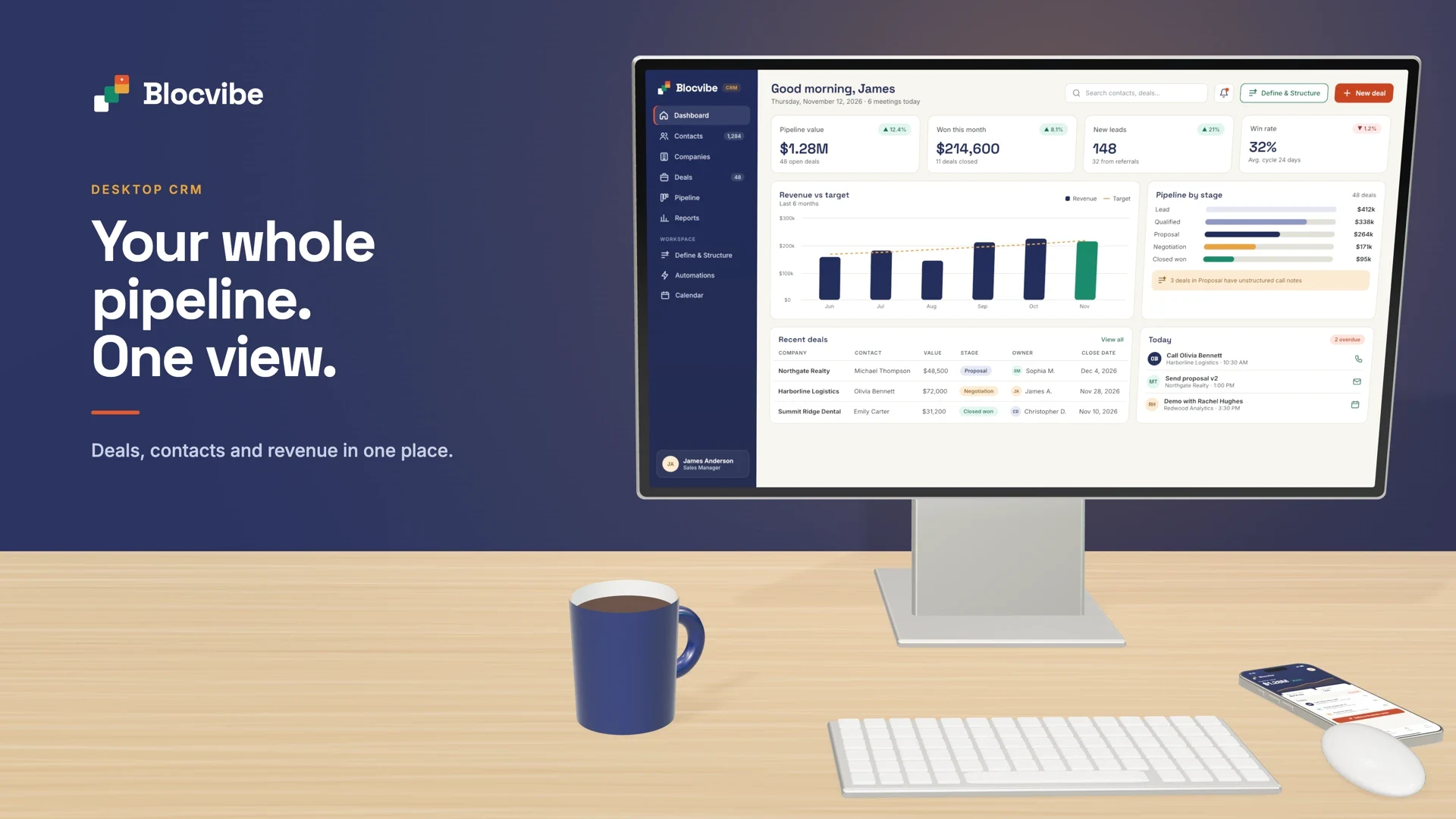
A well-designed desktop CRM typically gives you:
- Business dashboards: the numbers that matter to your business, not a generic set of charts.
- Customer and lead management: searchable records with full history.
- Employee and team management: who is assigned to what, and how much work each person has.
- Reporting and analytics: filters, exports and reports that answer real questions.
- Workflow management: stages, approvals and automated steps.
- Document management: quotes, contracts and photos in context.
- Role-based access and administration: each person sees and changes only what their role allows.
On the phone: iOS and Android
Much customer work happens away from a desk: at a client's office, on site, between meetings. A mobile CRM app puts the most important parts of the system in people's pockets, designed for quick actions rather than squeezed-down desktop screens.
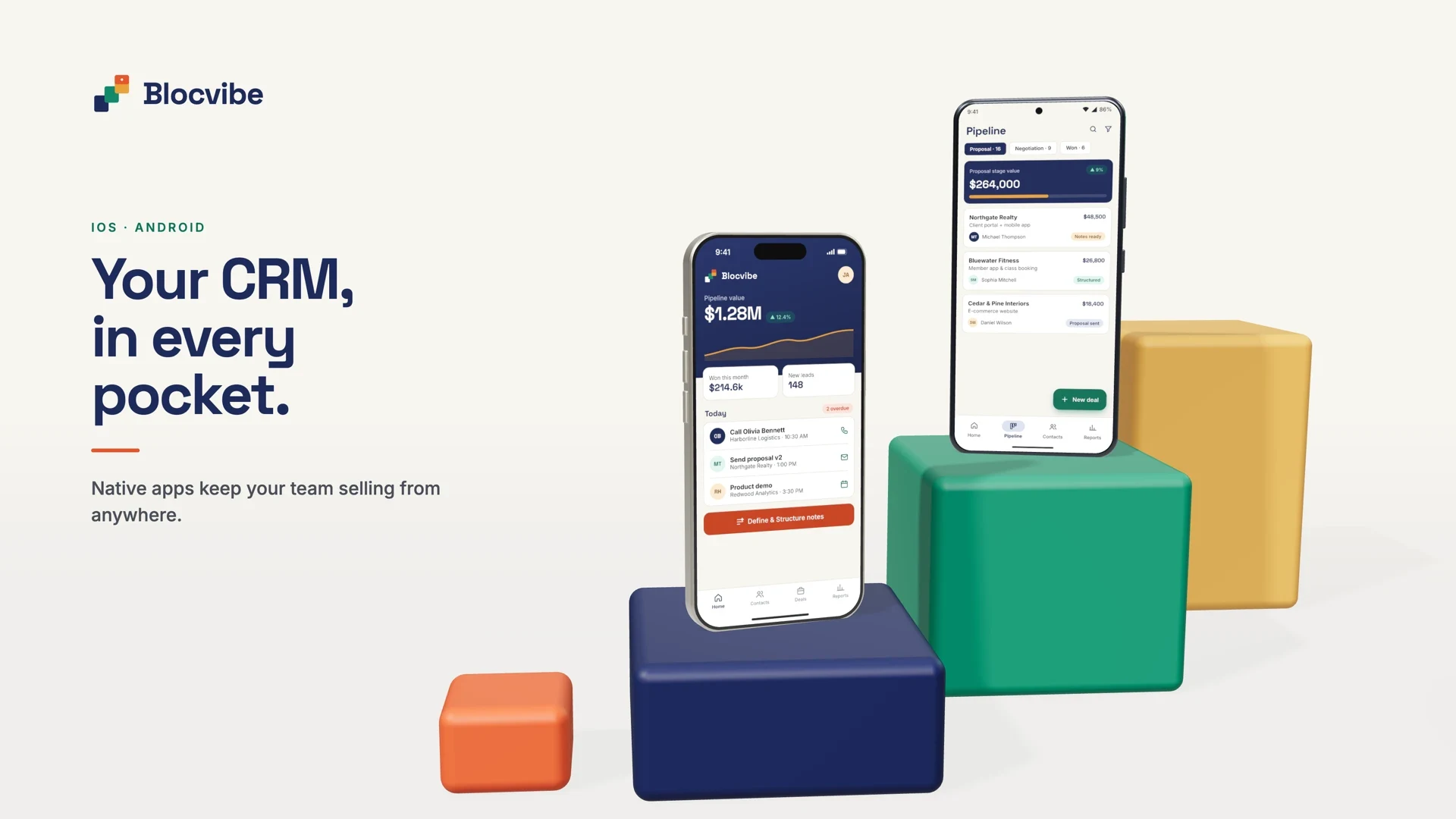
The iPhone experience
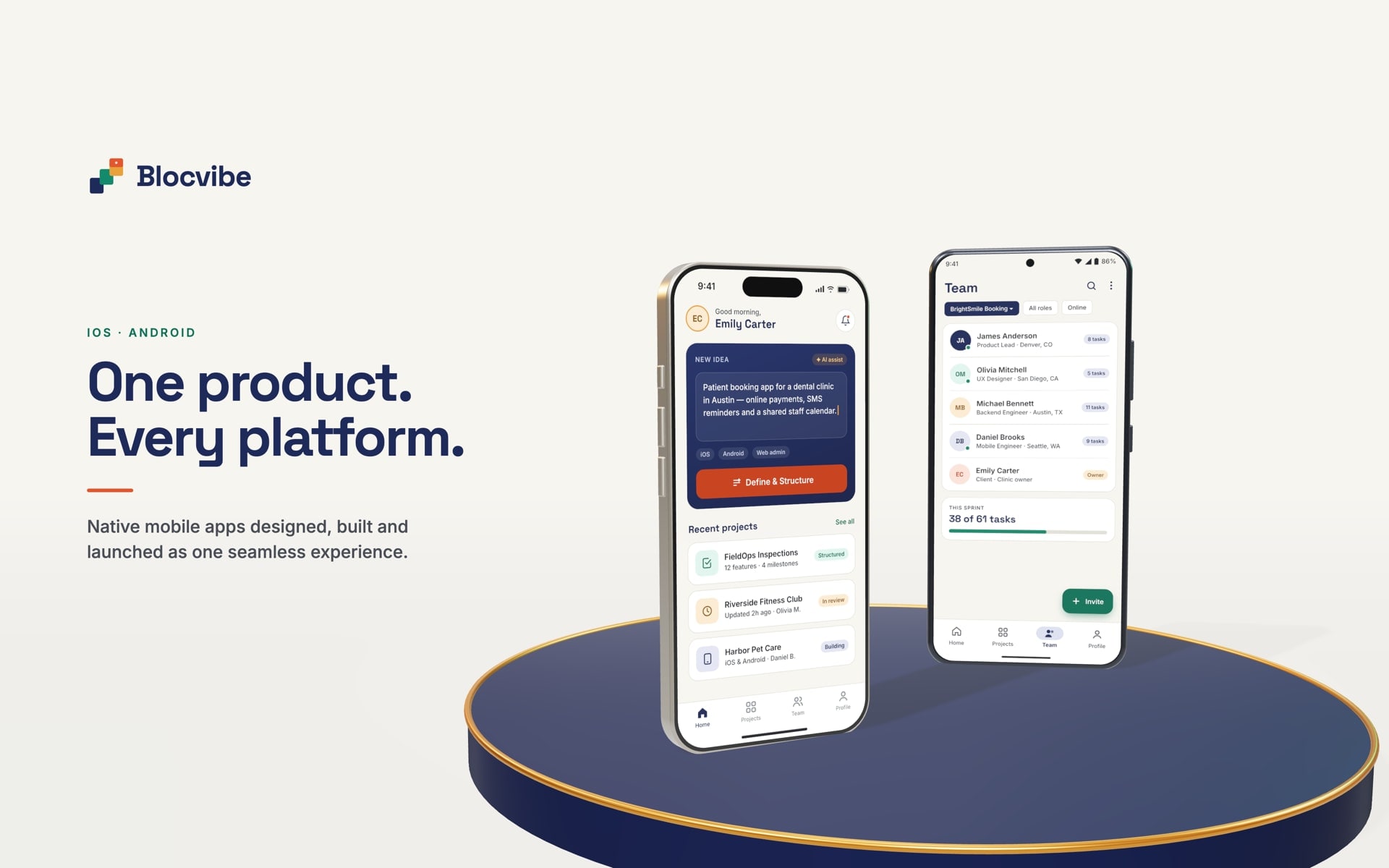
On iOS, a CRM app can give sales and service staff customer information on the move: contact details and history, open deals, quick calls and emails, follow-up reminders, task updates, meeting notes and photo or document uploads. Notifications can flag a new lead or an overdue follow-up, and sign-in can use Face ID where the device supports it.
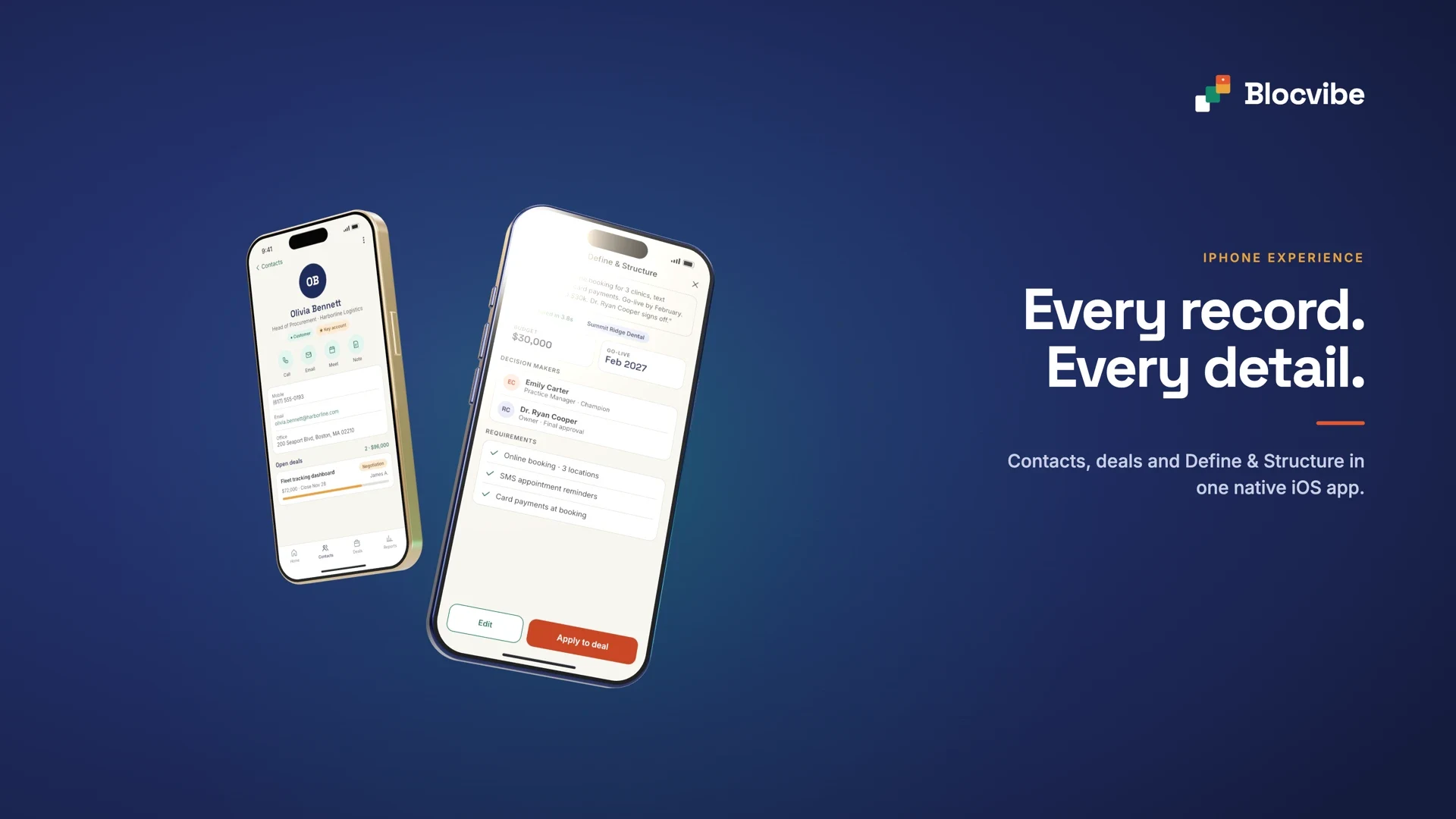
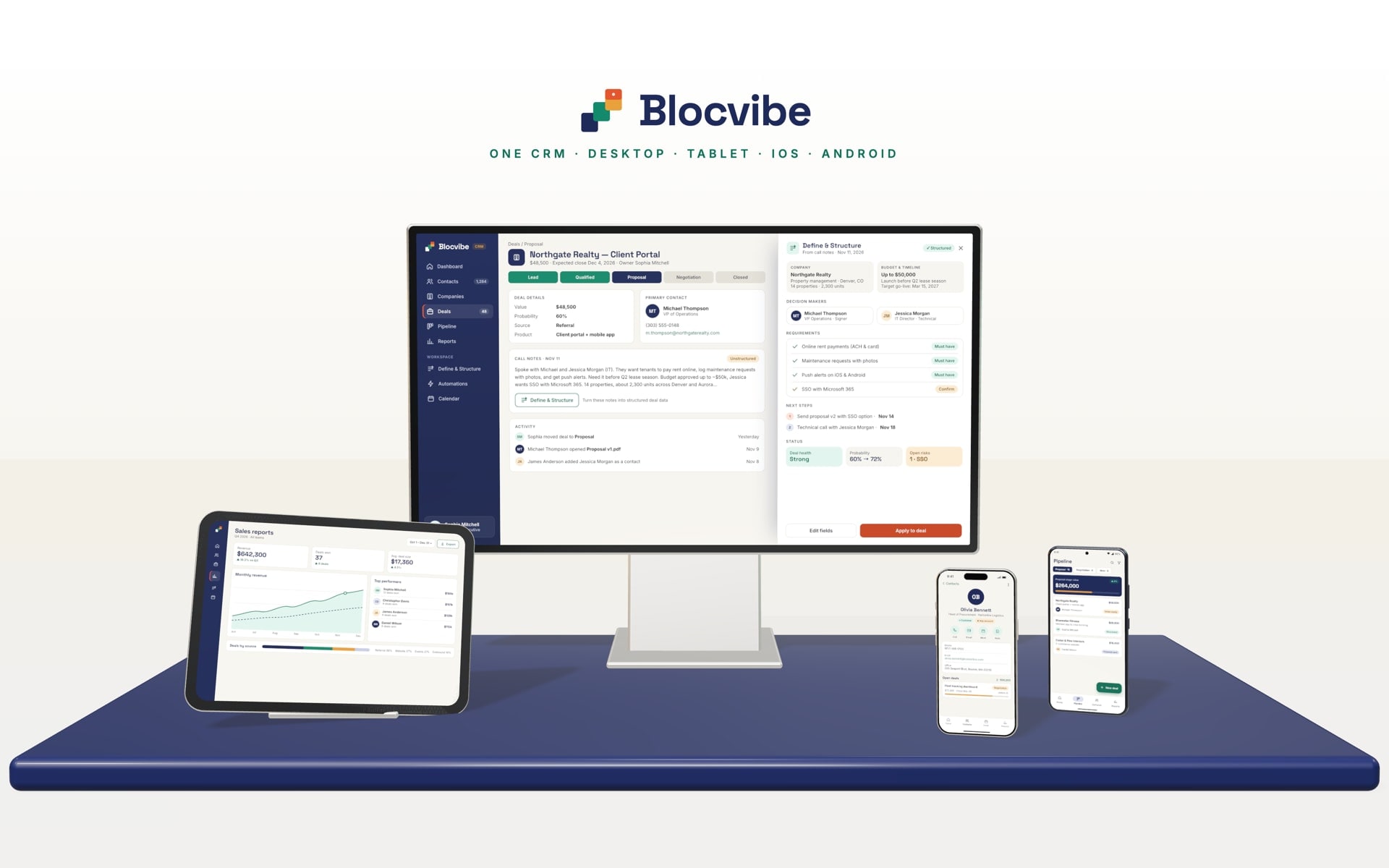
The second screen above shows an idea worth borrowing: rough call notes turned into structured deal information such as budget, decision makers and requirements, which a person reviews before applying it to the deal. Features like this can use AI integration, with people staying in control of the result.
The Android experience
On Android, the same system serves field teams, managers and owners on the wide range of Android phones and tablets: customer records, field activity updates, task assignments, status changes, photos and documents, notifications and quick reports. Testing across a representative range of devices matters more on Android because of that variety.
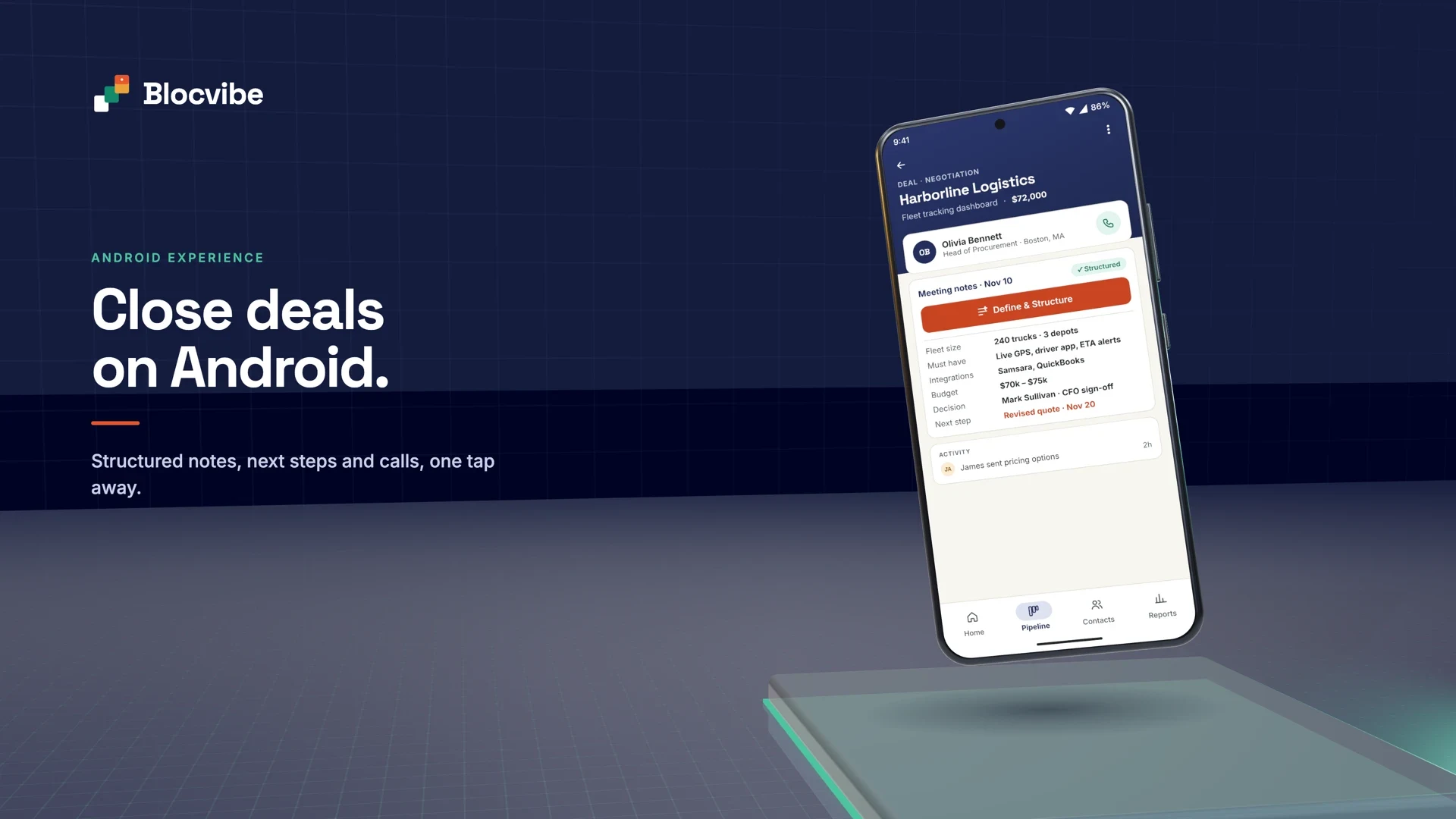
One system across every device
The desktop, iPhone and Android apps are not three products. They are three windows onto the same system, which is what makes the figures match wherever you look. That depends on a few foundations:
- Unified data in one backend, so there is a single version of each customer and deal.
- An API that every app uses, with the same business rules applied in one place.
- Secure authentication and role-based access that work the same on every device.
- Consistent workflows, so a deal moves through the same stages wherever it is updated.
- Platform-specific design, so each app feels natural on its device rather than identical everywhere.
Capabilities such as live updates, offline use and push notifications are all possible, but each is a design decision with trade-offs, not something every CRM needs. For mobile apps we build with Flutter, so one codebase serves both iOS and Android; read more in our guide to custom mobile app development.
Custom CRM or ready-made CRM?
Ready-made CRM products are good, and for many businesses they are the right answer. The question is how well one fits your process and what the gaps cost you.
| Aspect | Custom CRM | Ready-made CRM |
|---|---|---|
| Workflows | Built around your stages, rules and approvals | Configurable within the product's model; unusual processes need workarounds |
| Fields and modules | Exactly the records and modules you need | Custom fields within limits; extra modules depend on plans and add-ons |
| Roles and permissions | Modelled on your organisation | Preset roles, more detail on higher plans |
| Desktop and mobile | Designed for your users' tasks on each device | The vendor's standard apps |
| Integrations | Built for the systems you use, including unusual ones | Strong for popular tools through marketplaces; limited for niche systems |
| Reporting | The reports and dashboards your business needs | Standard reports; advanced reporting often on higher plans |
| Scalability | Designed for your expected growth | Handled by the vendor; costs usually rise per user |
| Ownership and control | You own the software and your data, and decide what changes | You rent access; the vendor controls the roadmap, pricing and terms |
| Maintenance | Needs a support arrangement for updates and fixes | Included in the subscription |
| Cost | Upfront investment, then hosting and maintenance | Low to start; subscription per user over time |
A ready-made CRM is usually enough when your sales or service process is fairly standard, the product covers most of your steps and the remaining gaps are small.
Custom development makes sense when your core process is unusual, the gaps create constant workarounds, several systems need to work as one, or per-user costs grow faster than the value you get. Often the best answer sits in between: extend an existing CRM through its API with custom modules, rather than replace it.
How a custom CRM is built
A custom system succeeds or fails on how well the business is understood before anything is built. This is how we approach it:
- Business discovery. We learn how your organisation works, where time is lost and what success looks like.
- Requirements analysis. The modules, user roles, integrations, data and business rules the system needs, prioritised for a first version.
- Architecture planning. A secure, maintainable foundation: data model, API, permissions and integrations. Scope, estimates and milestones are agreed in writing before work starts.
- UI/UX design. Desktop and mobile screens designed around each role's daily tasks, and reviewed with your team.
- Development. Frontend, backend, APIs and integrations built in short iterations, so you see working software early.
- Testing and quality assurance. Features checked against the agreed scope, with attention to permissions, data accuracy, security and performance.
- Deployment. Data migrated from your existing tools, the system launched in the agreed environment and your team trained.
- Continuous improvement. Where agreed, we maintain the system and add modules as your needs change.
Timelines and scope depend on the complexity of the process, the number of roles and integrations and how much data needs to move.
Beyond CRM: other custom business software
Once customer data lives in one well-designed system, other parts of the business can connect to it. Depending on what you need, that might be:
- Admin panels for managing content, users and settings.
- Business management systems that cover operations as well as customers, sometimes called ERP.
- Employee management for rotas, assignments and availability.
- Project management for jobs with tasks, milestones and budgets.
- Customer portals where clients see their projects, documents and invoices.
- Booking and scheduling systems.
- Inventory management linked to quotes and jobs.
- Workflow automation that removes repetitive steps.
- Reporting dashboards that pull data from several systems.
- Document management with templates and approvals.
- API integrations with accounting, email, calendars and industry tools.
- Multi-tenant SaaS platforms that serve many organisations from one product.
A simple example of how modules work together: a lead from the website creates a customer record, a quote is built from the price list and approved, the accepted quote becomes a scheduled job, the completed job produces an invoice, and the invoice is synced to the accounting system. Each step is a module; together they replace a chain of emails and spreadsheets.
Explogenn, one of our client projects, shows how far this can go: a multi-company B2B sales CRM where each customer company has its own workspace, with email and LinkedIn outreach campaigns, a unified inbox, a visual automation builder, a lead pipeline, a meeting calendar and plan-based subscriptions with Stripe billing.
Related services: custom software development, web application development, iOS and Android app development, API and system integration and SaaS and MVP development.